Recurring Jobs
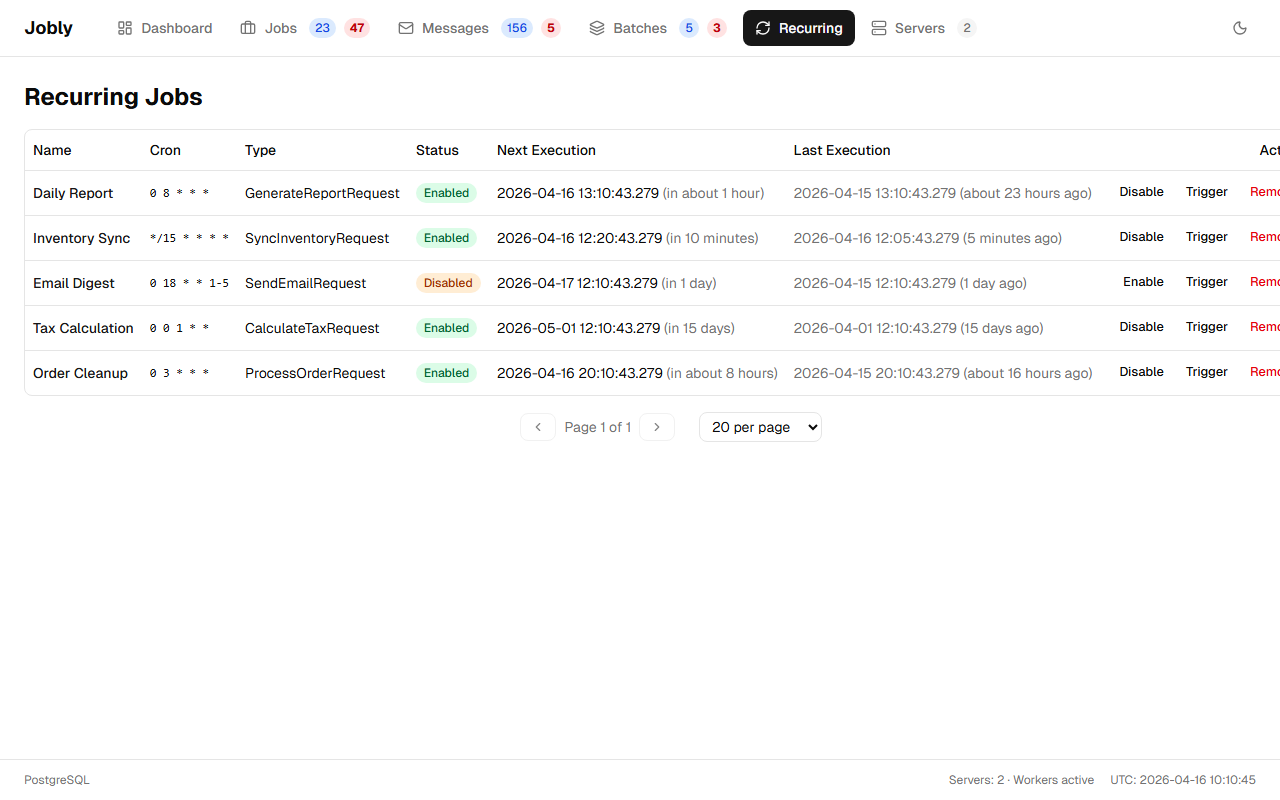
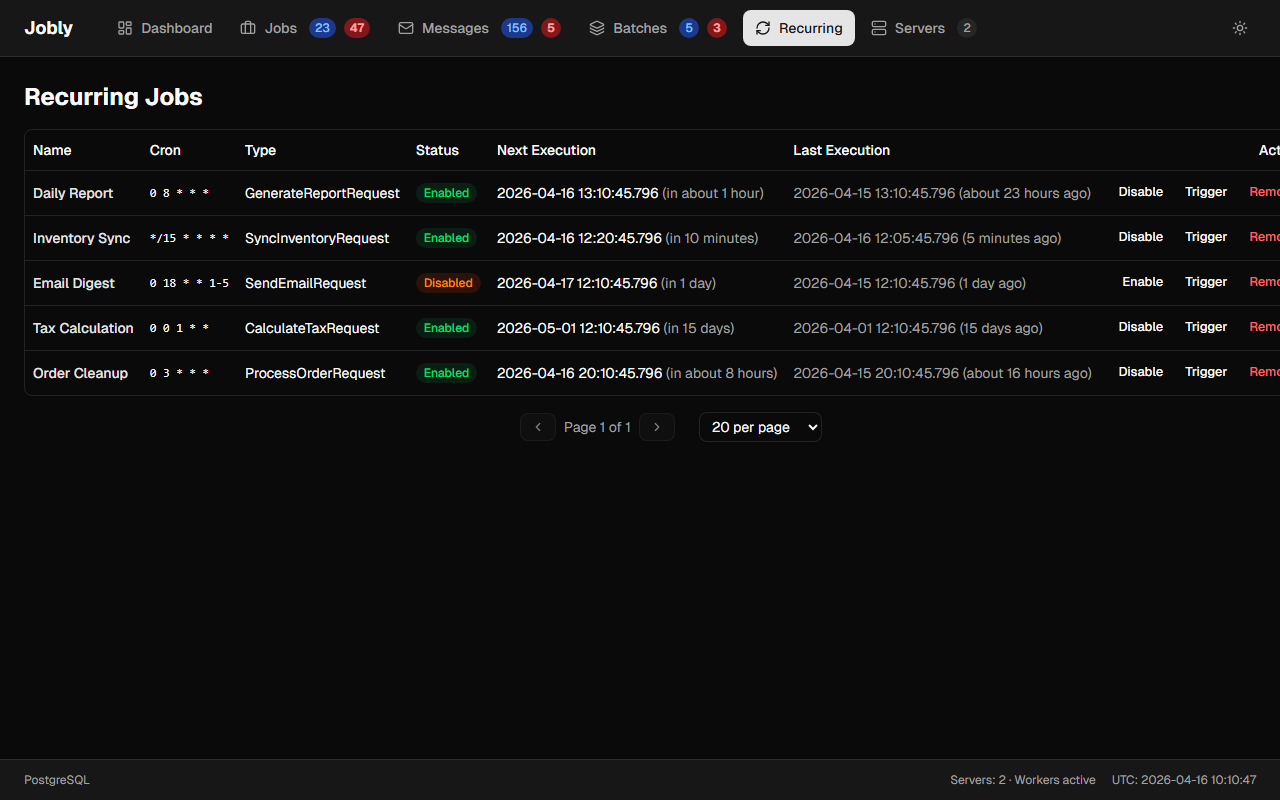
Cron-based scheduled jobs with name, cron expression, type, next/last execution times.
How Recurring Jobs Work
AddOrUpdateRecurringJob only registers (or updates) the recurring job definition — it does not create any job instances. The RecurringJobScheduler background task monitors all definitions and creates a new job each time the cron expression fires.
Execution History
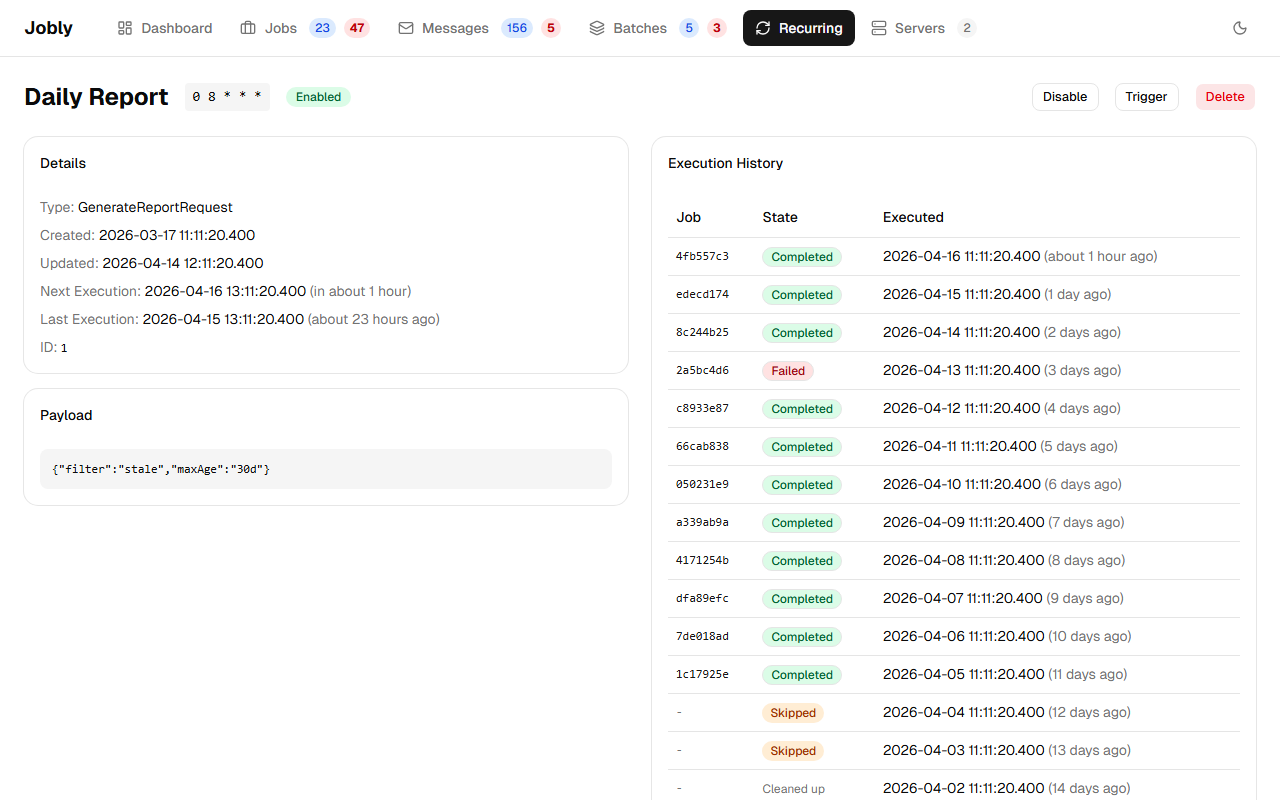
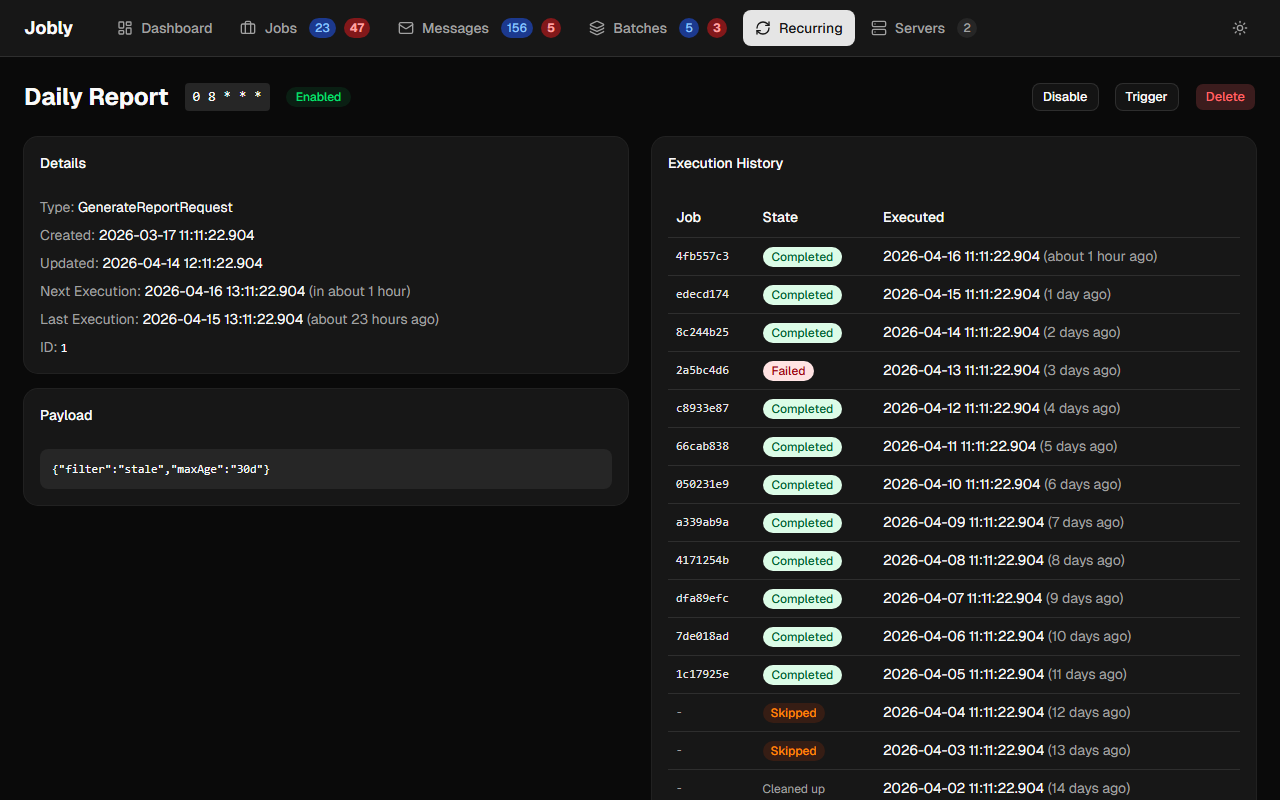
Each recurring job tracks its executions via RecurringJobLog entries. The history table shows the outcome of each scheduled run:
- Normal executions link to the job and show its current state
- If the underlying job has been deleted, the entry displays "Cleaned up"
- If the recurring job was disabled at the time, the entry displays an orange "Skipped" badge
Dashboard Actions
- Enable / Disable — toggle whether the scheduler creates real jobs or skips. Disabled jobs still fire on schedule but record "Skipped" entries in the history instead. The recurring job list shows an Enabled or Disabled badge per row.
- Trigger — immediately creates and enqueues a new job instance, regardless of the cron schedule or disabled state
- Delete — removes the recurring job definition (existing job instances are not affected)
For full documentation on configuring and using recurring jobs, see Recurring Jobs.
Click a recurring job name to see its detail page with execution history: