Reliable background processing
for .NET production systems.
Warp is a distributed job processing and message queue for .NET 10. Pub/sub messaging, orchestrated background jobs, and in-memory request dispatch — integrated with your existing EF Core DbContext using the transactional outbox pattern.
// Register with your existing DbContext
builder.Services.AddWarp<AppDbContext>(opt => {
    opt.UsePostgreSql();
});

builder.Services.AddWarpServer<AppDbContext>(opt => {
    opt.UsePostgreSql();
    opt.WorkerCount = 10;
    opt.AddRetry();
    opt.AddMutex();
});

app.MapWarpDashboard("/warp"); // dashboard at /warp
// Pub/sub — every handler becomes a job
await publisher.Publish(new OrderCreated { Id = orderId });
await publisher.SaveChangesAsync(ct);

// Job — single handler, retries, scheduling
await publisher.Enqueue(new GenerateReport { UserId = id });

// Request — in-memory, typed response
var user = await mediator.Send(new GetUser { Id = id });
Four processing patterns. One unified library.
Messages for fan-out delivery, Jobs for durable orchestrated execution, Requests for in-process query dispatch, and Streams for asynchronous sequences — all running through a shared pipeline, dashboard, and worker runtime.
Messages
IMessagePub/sub queue. Multiple handlers per message — each becomes an independent job. Fan out to any number of subscribers in the same transaction.
publisher.Publish(
new OrderCreated { Id = orderId });Jobs
IJobOrchestrated background work. Single handler with scheduling, configurable retries, continuations, batches, named queues, and mutex control.
publisher.Enqueue(
  new GenerateReport(),
  queue: "reports");
Requests
IRequest<T>In-memory request/response. Single handler, no persistence, returns a typed response immediately. Goes through the same pipeline behavior chain.
var user = await mediator
.Send(new GetUser { Id = id });Streams
IStreamRequest<T>In-memory streaming. Returns IAsyncEnumerable<T> via CreateStream(). Request-level and enumeration-level pipeline behaviors, no persistence.
await foreach (var item in
  mediator.CreateStream(
new GetItems()));Comprehensive background processing capabilities.
Warp addresses the full range of background processing requirements for production .NET applications, with no additional infrastructure or manual configuration.
Outbox pattern built in
Jobs and messages are created inside your EF Core transaction. Eliminates lost events and dual-write inconsistencies. The DbContext transaction is the consistency boundary.
Real-time dashboard
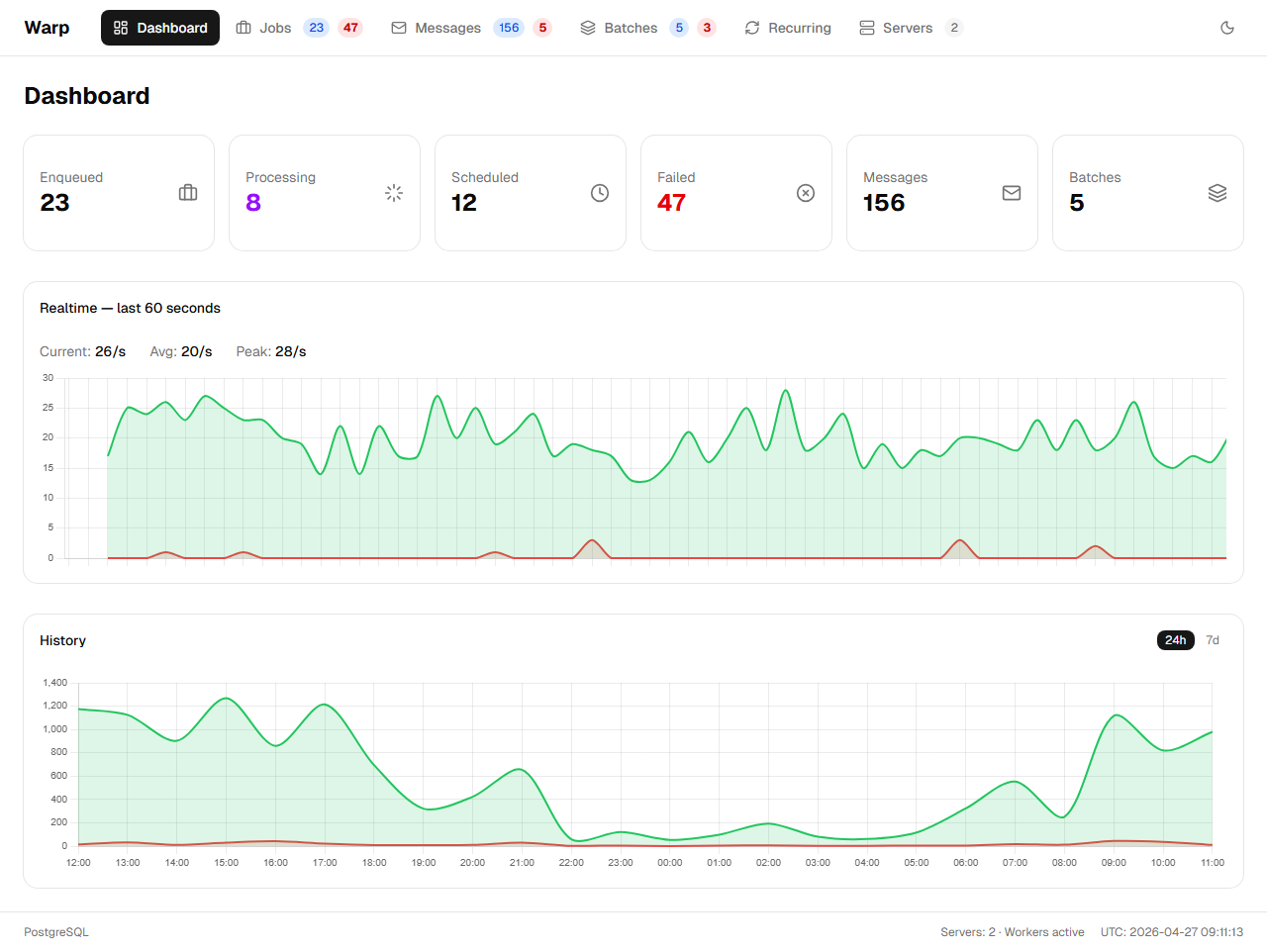
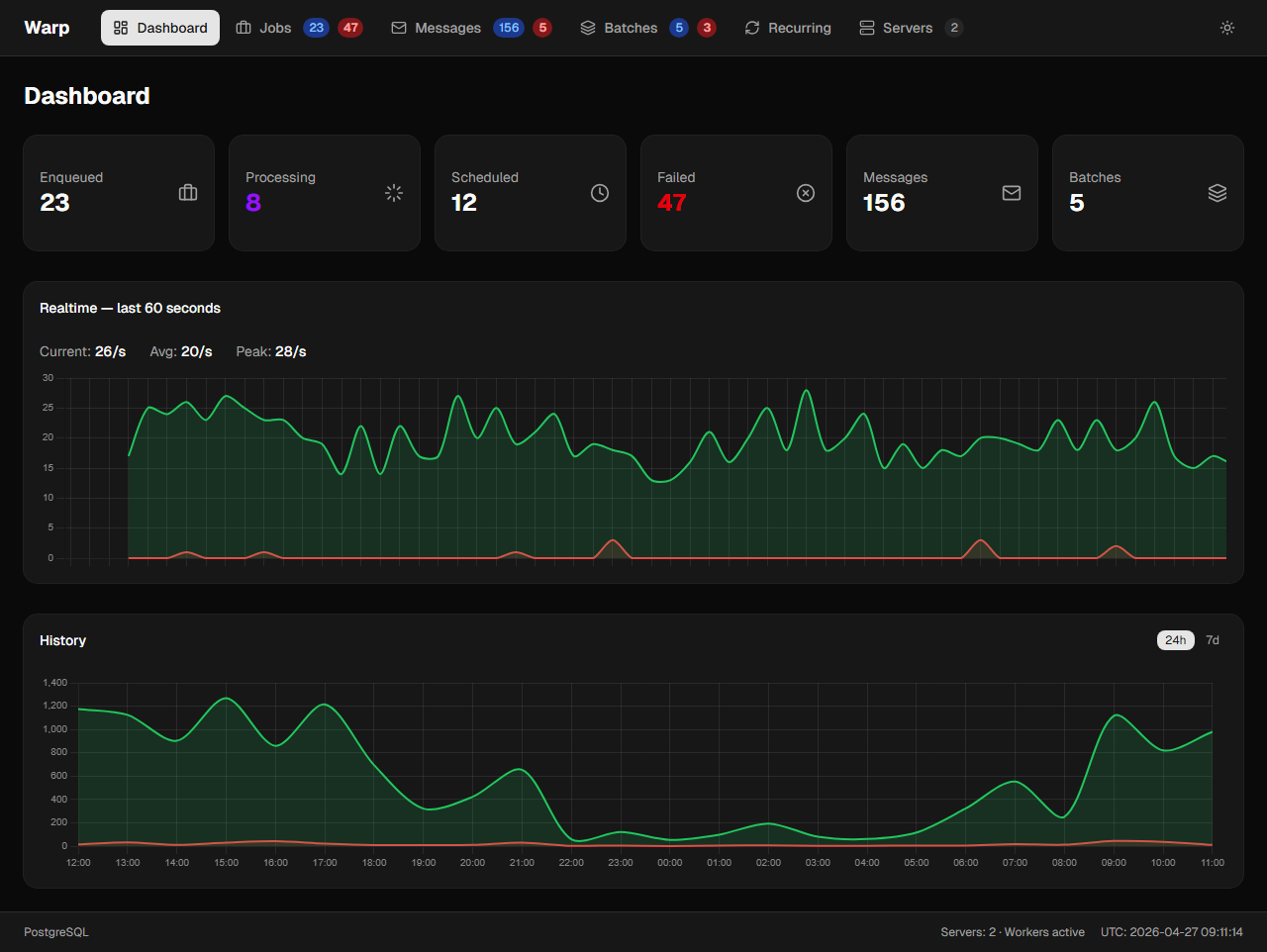
Built-in operations dashboard with live throughput graphs, job detail view, exception traces, handler log output, batch progress, and recurring job history — served at /warp with no additional configuration.
Crash recovery
Per-job keep-alive heartbeat with automatic requeue on worker crash. Configurable sliding invisibility timeout prevents duplicate execution.
Pipeline behaviors
Middleware chain applied to every handler. Retry, mutex, logging, metrics, and authorization concerns are registered once and applied uniformly across all jobs, messages, and requests.
Cron scheduling
Recurring jobs defined with cron expressions. The registration API is idempotent and safe to call on every application start. The scheduler creates jobs at the configured time.
Distributed mutex
Opt-in concurrency control via [Mutex("key")] attribute or .WithMutex("key") at publish time. Enforces single-execution per key across all worker instances.
DB push notifications
Opt-in push wake-up via PostgreSQL LISTEN/NOTIFY or SQL Server Service Broker. Workers receive push notifications for new jobs, eliminating unnecessary polling latency.
Two databases, one API
PostgreSQL and SQL Server supported out of the box. Provider packages handle all provider-specific configuration — call opt.UsePostgreSql() or opt.UseSqlServer() to switch.
Batches & continuations
Group related jobs into batches with configurable child activation on failure. Chain continuation jobs that execute after all batch members reach a terminal state.
OpenTelemetry built in
Native OTel integration with Activity traces, four metrics instruments (duration, active, completed, enqueued), and span attributes conforming to OTEL messaging semantic conventions.
Circuit breaker
Opt-in circuit breaker prevents repeated calls to a failing downstream dependency. Closed → Open → HalfOpen state machine with configurable thresholds. Jobs are rescheduled and retain their retry budget.
Operational visibility into your job processing pipeline.
Built-in operations dashboard with live throughput graphs, job detail view, exception traces, handler log output, batch progress bars, worker health status, and recurring job history. Served at /warp with no additional configuration.
Minimal setup. No infrastructure changes required.
Register your existing DbContext as usual — Warp wraps it automatically. No manual schema migrations, no special context configuration, and no secondary registration.
$ dotnet add package Moberg.Warp.Core
$ dotnet add package Moberg.Warp.Provider.PostgreSql
$ dotnet add package Moberg.Warp.Worker
$ dotnet add package Moberg.Warp.Dashboard

✓ DbContext auto-configured — no manual setup
✓ Outbox publisher registered (same transaction)
✓ Worker service ready, dashboard at /warp
// Register with your existing DbContext
builder.Services.AddWarp<AppDbContext>(opt => {
    opt.UsePostgreSql();
});

builder.Services.AddWarpServer<AppDbContext>(opt => {
    opt.UsePostgreSql();
    opt.WorkerCount = 10;
    opt.AddRetry();
    opt.AddMutex();
});

app.MapWarpDashboard("/warp"); // dashboard at /warp
A structured approach to background processing.
Warp provides a structured, production-grade job processor built on your existing EF Core stack. Consistent patterns for messaging, scheduling, retries, and observability — without introducing additional infrastructure dependencies.