

Grounding & learning
Generated SQL grounded in what your team knows.
Beacon never hands a model a bare schema dump. Every question is answered against an assembled context: the tables that matter, the joins that are real, the terms your organisation uses and examples a person has verified. A learning loop adds what usage teaches, and only what replay proves helps.
- Replaydecides auto-approval
- Per projectretrieval, hard-filtered
- Localembeddings, no egress
shop.customers  customer_id int PK
                country_code char(2) · is_active bool
shop.orders     order_id int PK · customer_id int
                status text  Examples: ['paid', …] opt-in
placed_at timestamptzshop.orders.customer_id → shop.customers.customer_id
active customer: at least one paid order in the last 90 days
Q: How many active customers per country?
SELECT c.country_code, count(DISTINCT c.customer_id) …
ColumnClarification: customers.is_active is the account flag
Six layers, each with a job.
For a question and a data source, Beacon assembles the context in blocks and labels each one: human-verified sections are marked authoritative, everything else says it is machine-derived. Glossary terms, golden examples and learned patterns each have their own limit, and other tables appear by name only, so the context stays focused on the question.
- 01SchemaRelevant Tables (full schema) · Other Tables · Coverage
An M-Schema rendering of the tables that matter: column name, type, nullability and description. Other tables appear by name and primary key only, and a coverage note says when the neighbourhood was capped.
machine-derivedSample values and value matches: opt-in, off by default - 02RelationshipsJoin Paths (verified) · Join Paths (UNVERIFIED)
Foreign keys and curator-confirmed joins as trusted paths. Inferred or user-added joins sit in a separate block that tells the model to confirm them first.
verified + flaggedOrigins: foreign key, inferred, manual - 03Business glossaryBusiness Glossary
What your terms mean in your schema: definition, synonyms, the table and column they map to, and the SQL expression of a metric.
curatedGlossaryTopK = 5 - 04Golden examplesVerified query examples (authoritative)
Human-verified question and SQL pairs for the data source, ranked above learned patterns. The same cases are the regression suite for eval runs.
authoritativeGoldenExemplarTopK = 4 · 2,000 chars - 05Learned patternsLearned Patterns (from usage)
Corrections, column clarifications, join patterns, common queries, business-term mappings and documentation gaps, mined from real usage.
learned, reviewedLearningInjectionBudgetChars = 1,500 - 06Semantic retrievalRanking for search, exemplars and documentation chunks
A local ONNX model embeds schema, exemplars and documentation; reciprocal rank fusion merges it with keyword matching, so "revenue" finds net_amount. It ranks the exemplars for the context, the search tool, and the documentation chunks (overlapping 5-sentence windows) that knowledge answers draw on.
machine-derivedbge-small-en-v1.5 · 384 dimensions · off until configured
Sample values are row data. They make filters land on real formats ('shipped' rather than 'SHIPPED'), and they are sent to the LLM provider, so collection is off by default and turned on per project. PII, secret-like and financial-amount columns are never sampled.
Agents see the same context. The MCP tool get_query_context returns exactly what ask would use, so an agent can write its own SQL against the same grounding and validate it with dry_run.
Usage becomes knowledge, but only with evidence.
Every SQL-carrying call leaves a usage signal. A recurring job mines signals into candidate patterns, and a candidate is promoted automatically only when replaying the project's golden cases shows that it helps.
- 1SignalsEvery ask, query and dry_run call records the question, SQL, tables, routing and outcome.
- 2MiningEvery 6 hours, ask and query signals are clustered per project and data source. dry_run is excluded.
- 3LessonsAn LLM diagnoses failure-then-correction clusters; a deterministic path takes over when it cannot.
- 4NeedsEvidenceEvery new pattern lands here. Confidence alone never approves anything.
- 5ReplayThe project's golden cases run with and without the candidate injected.
- 6InjectedApproved and auto-approved patterns ground future SQL for the same project.
A candidate is auto-approved only if it flips at least N failing golden cases to passing, with no regression.
N = LearningReplayMinFlips, default 1| Golden case | Without | With |
|---|---|---|
| #12 Active customers per country | fail | pass |
| #15 Orders per customer last month | pass | pass |
| #21 Refund rate by week | pass | pass |
| #27 Revenue by sales channel | fail | fail |
Or a curator decides
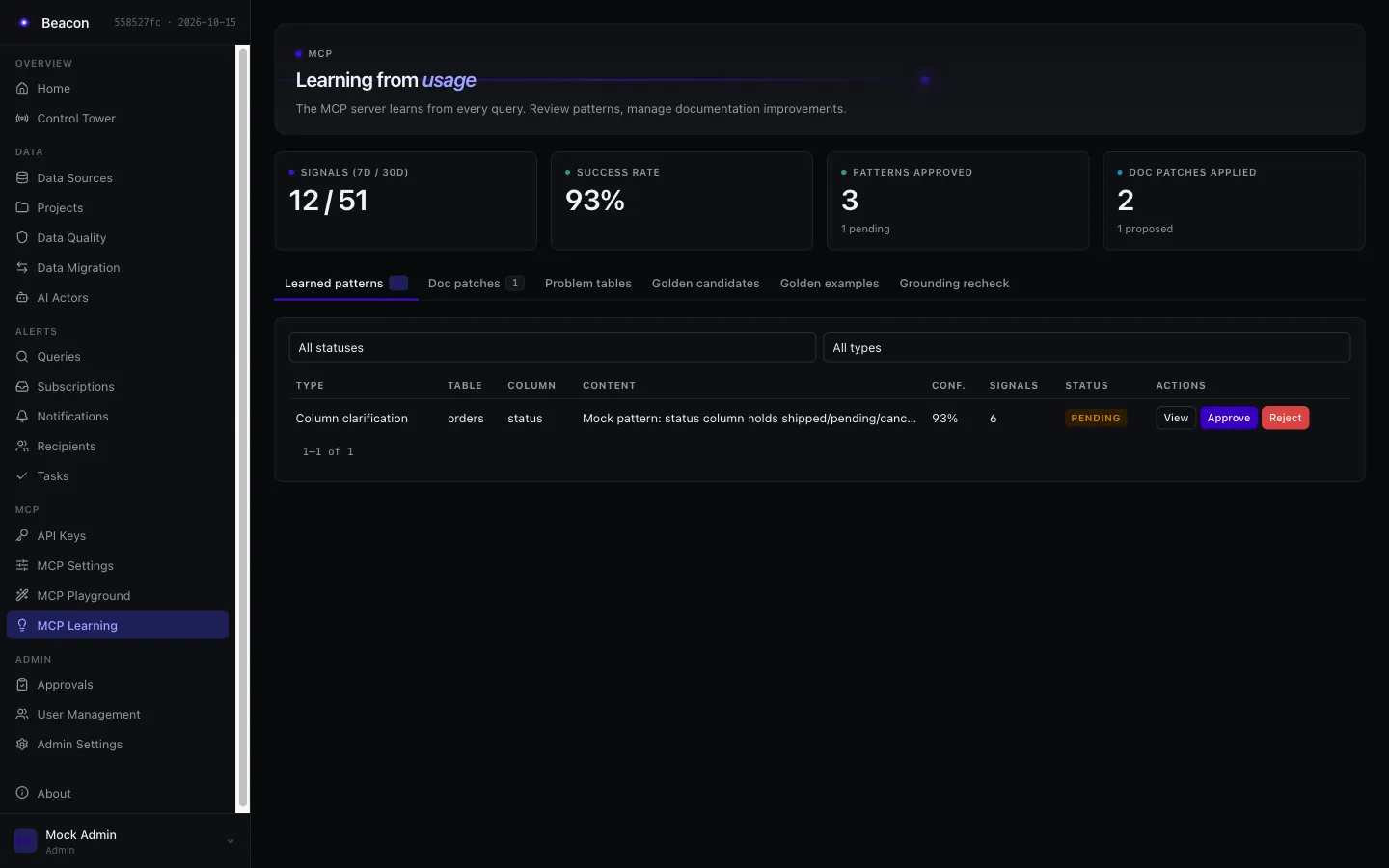
On the MCP Learning page, a curator of the pattern's project approves, rejects or sets it back to pending. The decision carries the contentHash the reviewer saw; if the content changed since, it is refused with 409. With replay verification off, nothing is auto-approved and every candidate waits for a person.
What “active customer” means here.
A sales lead asks for the number of active customers in Germany. The schema has an is_active column, and without more context the model reasonably uses it. In this company, active means something else: a customer who has actually bought recently.
SELECT count(*) AS active_customersFROM shop.customersWHERE is_active = true AND country_code = 'DE';Counts accounts, not buyers. is_active is the account flag, set at sign-up. Example result: 18,402.
SELECT count(DISTINCT c.customer_id) AS active_customersFROM shop.customers cJOIN shop.orders o ON o.customer_id = c.customer_idWHERE c.country_code = 'DE' AND o.status = 'paid' AND o.placed_at >= now() - interval '90 days';Counts customers with a paid order in 90 days. The definition comes from the glossary, the join and filter shape from the verified example. Example result: 6,117.
- Term
- active customer
- Synonyms
- active buyer, active client
- Definition
- A customer with at least one paid order in the last 90 days. Not the is_active account flag.
- Target
- shop.orders.customer_id
- Metric
- count(DISTINCT customer_id) over paid orders in 90 days
- Active
- IsActive
SELECT c.country_code, count(DISTINCT c.customer_id) AS active_customersFROM shop.customers cJOIN shop.orders o ON o.customer_id = c.customer_idWHERE o.status = 'paid' AND o.placed_at >= now() - interval '90 days'GROUP BY c.country_code;Rated correct, then promoted from Golden candidates by Ana Horvat (Admin). Promotion records who promoted it.
With sample-value collection turned on for the project, the schema block would also show that status holds 'paid', so the filter matches the stored value exactly. Eval runs judge the result by its rows (a result-set fingerprint), not by matching the gold SQL text.
What lands in every prompt needs a narrower right than writing.
Grounding a person approves reaches every caller's prompts, so curating it is reserved. Curate is held by a project admin member of the project, or an Admin, in a signed-in session.
Project admin members, Admins
- Approve, reject or set back learned patterns
- Edit or regenerate the project documentation
- Apply documentation patches to a section
Curators of every live project that links the source, a DataSourceAdmin, Admins
- Verify, un-verify or delete a verified relationship
- Apply or reject column and table description patches
The Admin role
- Promote, edit and deactivate golden examples
- Manage the business glossary (API only)
- Run the grounding recheck
The learning job stores new patterns as NeedsEvidence, auto-approves only through replay and proposes documentation patches without applying them. Over MCP, the feedback tool records a verdict and nothing else.
Retrieval is not authorization, so it is scoped like it.
Two projects can share a data source. What describes the data source is shared; what a project teaches Beacon stays in that project. Every grounding path filters on the caller's authorized project, not on the data source.
- Glossary: "net revenue"
- Golden examples · 14
- Learned patterns · 9
- Documentation and code references
- Glossary: "active customer"
- Golden examples · 22
- Learned patterns · 17
- Documentation and code references
Unlinked means invisible
A data source the project does not link is not searched, described or catalogued: its schema catalog is empty, so SQL against it fails the schema check.
Live probes need Query
Value grounding probes live data only for a caller who may query the project. A Viewer is grounded with the stored sample values alone.
Replay stays home
Replay verification runs a candidate against its own project's golden cases on its own data source, never another project's.
Details that keep grounding trustworthy.
Grounding SQL is checked
Gold SQL, corrected SQL and a pattern's example SQL pass the read-only gate and the catalog check in their dialect, and are stored without comments. Nothing runs.
Nothing a reviewer cannot see
Bidirectional overrides, zero-width characters and tag characters are refused in grounding SQL and questions, a literal or a comment included.
Approval binds to content
The refresh job never rewrites the content of a pattern a person decided on; only its counts refresh. An auto-approved pattern whose content changes goes back to NeedsEvidence and is replayed again.
Corrections decay
When a schema refresh shows a column is gone, the corrections that point at it are superseded and never injected again. The rows stay for audit.
Signals expire
Usage signals are kept for 90 days by default (LearningSignalRetentionDays) and removed by the nightly cleanup job.
Semantic search fails open
Without an embedder, or before rows are indexed, retrieval falls back to keyword matching and still returns results. On PostgreSQL, pgvector with an HNSW index does the search.