

MCP server and tools
Beacon exposes a Model Context Protocol (MCP) server at /beacon/mcp. AI clients and agents use it to search your catalog, read documentation, and run read-only SQL against the data sources of a project, under the same project access, guardrails and audit as the rest of Beacon.
Overview
Section titled “Overview”The MCP server is project-centric: each API key is scoped to one or more projects, and all tools automatically resolve which data sources, schemas, and documentation to use based on the active project.
Project resolution is stateless: it is computed per call, with no session memory. If the key is restricted to a single project, that project is used automatically; if it can reach several, pass project_id on every call (the error lists the candidates when you don’t).
Which projects a caller reaches is decided on every call by the same project access rules as the REST API and the playground. The projects the caller may read:
- an API key reaches the projects of its list its owner may still use; a key without a list (created before lists were required) reaches every project its owner may use;
- a mapped Entra system caller reaches its configured projects, restricted or not;
- a mapped Entra user caller reaches its configured projects within its Beacon user’s access. A restricted project only while the user is a member; without a Beacon user, its configured open projects only;
- a browser session (cookie or SSO, Beacon’s or the host’s) is refused on
/beacon/mcpwith403(browsers use the MCP Playground), and a call without an HTTP request behind it (a host-wired stdio transport) reaches no project.
What a caller may do in a project follows its project role there, as in the playground: the catalog tools (get_context, search, get_documentation, get_query_context) need Read, while the SQL-carrying tools (ask, query, dry_run) and feedback work ad hoc in the project and need Query. An Editor or above in it. A Viewer (a Viewer member of a restricted project, or a caller whose global role is Viewer) reads the catalog but runs no SQL there: such a call answers “Access denied: you may read project N but not run ad-hoc queries in it.” and is audited, and an ask or query refused this way records its signal like any other failed call.
No MCP caller curates grounding. Curating (reviewing learned patterns, applying documentation patches, verifying relationships, editing or regenerating documentation) needs Curate, which Beacon grants only to a signed-in user’s session (a project admin member of the project, or an Admin): never to an MCP caller, user or system, whatever its scope, and never to an API key. Golden examples are an Admin’s alone. Over MCP, feedback records a verdict and curates nothing by itself (see Who curates grounding).
A membership revoked, a project restricted or a user disabled takes effect on the caller’s next call, in the same session. Saved-query tools are visible only in the caller’s projects where it may run saved SQL (Run), and host endpoint tools only when the caller may read the host’s project. A tool call that names a project the caller does not reach answers “Access denied: you do not have access to project N.”; one that names none when the caller reaches no project answers “No projects are available to you.” Both are audited.
What you can do through MCP:
- Ask natural language questions and get SQL + results back
- Pull the exact grounding context Beacon uses for SQL generation (schemas with sample values when a project turns them on, verified join paths, and human-verified examples) and write your own SQL (
get_query_context→dry_run→query) - Validate SQL through every safety gate without executing it
- Execute direct SQL queries against any data source in your project
- Search tables, columns, and documentation by keyword, fused with embedding-based semantic matching when a local embedder is enabled
- Retrieve AI-generated documentation for your project, data sources, or individual tables
- Record feedback on answers. Verdicts are recorded for an Admin to review, and an Admin may promote a
correctanswer to a verified example that grounds future SQL generation
Quick start
Section titled “Quick start”1. Create an API key
Section titled “1. Create an API key”Go to API Keys (/beacon/api-keys) and choose Generate key:
- Choose the scope
Execute. The MCP endpoint requires it, because its tools can run SQL;Readkeys reach only the read-only REST API. Creating anExecutekey needs the Editor role or above. - Pick the projects the key may use; at least one is required. The key reaches them only while you, its owner, still have access to them (see Project restrictions).
- Copy the key (
sk-sem_…). It is shown once; Beacon stores only its SHA-256 hash.
2. Connect a client
Section titled “2. Connect a client”Every client sends the key as a bearer token: Authorization: Bearer sk-sem_…. For Claude Code, add Beacon to the project’s .mcp.json:
{ "mcpServers": { "beacon": { "type": "http", "url": "https://<host>/beacon/mcp", "headers": { "Authorization": "Bearer ${BEACON_MCP_API_KEY}" } } }}or from the command line:
claude mcp add --transport http beacon https://<host>/beacon/mcp --header "Authorization: Bearer sk-sem_…"Other clients, Entra sign-in and manual JSON-RPC calls are covered in Connect AI clients.
3. Try it
Section titled “3. Try it”“What tables are available in my project?”
“How many orders were placed last week?”
“Show me the schema for the customers table”
When your key reaches more than one project, the client must pass project_id on every call.
Connection details
Section titled “Connection details”| Property | Value |
|---|---|
| Endpoint | /beacon/mcp |
| Transport | Streamable HTTP + JSON-RPC 2.0 (via ModelContextProtocol.AspNetCore) |
| Authentication | Required: Authorization: Bearer sk-sem_… (an API key with the Execute scope) or a mapped Entra ID bearer token |
| Sessions | Hybrid: stateless-protocol clients need no session; initialize-handshake clients get an Mcp-Session-Id (idle timeout 30 minutes) |
Map the server with app.MapBeaconMcp(), which mounts /beacon/mcp behind the Execute-scope policy (registered by AddBeaconApiAuthorization()): an API key or mapped Entra caller without the Execute scope gets 403. Do not map it with app.MapMcp("/beacon/mcp").RequireAuthorization(), because the default policy admits any authenticated caller. The MCP layer also refuses a caller that lacks the Execute scope and a caller that is not authenticated, over HTTP or over a transport without an HTTP request (such as stdio). A host that maps the route with a weaker policy therefore still fails closed, but it loses the 403 at the door. A tool call answers a tool error (no tool runs, and the refusal is audited like any tool call), and every other request except initialize and ping (tools/list, resources, prompts, completions) answers a JSON-RPC error. Clients exchange JSON-RPC messages with the single /beacon/mcp endpoint over the Streamable HTTP transport; the server streams responses back on the same connection.
Sessions and load balancers. Clients that speak the stateless protocol are served without a session, so any instance behind a plain load balancer can answer any request. Clients that start with the initialize handshake get an Mcp-Session-Id, and their follow-up requests must reach the instance that holds that session: run several instances behind session affinity for them. A session idle for 30 minutes is closed, and the client starts a new one.
Protocol niceties the server publishes:
- The
initializeresponse carries server instructions describing the recommended tool workflow, and every tool is published with a human-readable title and annotations (readOnlyHint,idempotentHint,destructiveHint,openWorldHint) so clients can reason about safety before calling. queryandaskresponses include machine-readablestructuredContent(columns, rows, row count, truncation flag, plus the generated SQL andsignal_idforask) alongside the markdown text, so agents do not have to parse tables back out of prose.- Truncated results say so explicitly: row-capped query results, paged search results, and concise documentation exports all end with a note stating that more data exists and how to get it (raise
max_rows, repeat with the nextoffset, or passresponse_format: "detailed").
Connecting from remote clients
Section titled “Connecting from remote clients”Remote MCP clients that connect by URL need one URL:
https://<host>/beacon/mcpAuthentication is a bearer token in the Authorization header: a Beacon API key with the Execute scope (Read keys cannot reach the MCP tools), for clients that let you set a header. Clients that sign in with OAuth find the discovery documents below; Beacon does not run an OAuth server, so those clients sign users in with Microsoft Entra ID (see Connect Claude).
Agent platforms can instead call with Microsoft Entra ID tokens, either on behalf of a user or as a system identity. Beacon configuration decides their projects and scope. See Entra ID callers on MCP.
Discovery endpoints
Section titled “Discovery endpoints”Beacon publishes anonymous, read-only discovery metadata so remote clients can bootstrap a connection without documentation:
| Endpoint | What it serves |
|---|---|
/.well-known/oauth-protected-resource | RFC 9728 protected-resource metadata: the resource identifier (the canonical /beacon/mcp URL), scopes_supported, bearer-header auth. By default scopes_supported is ["Execute"] and, when SSO is enabled (Beacon:Authentication:Oidc), authorization_servers lists the configured OIDC authority; API-key-only deployments omit it. A host whose callers sign in with Microsoft Entra ID publishes the Entra issuer and scopes instead through Beacon:Mcp:ProtectedResource. See Connect Claude |
/.well-known/oauth-protected-resource/beacon/mcp | The same document at the RFC 9728 path-inserted variant clients derive from the /beacon/mcp resource path |
/.well-known/mcp/server-card.json | A server card (per the draft SEP-2127 proposal): server name and version, transport (streamable-http), endpoint URL, auth summary, and the eight built-in tools with their titles (saved-query and host endpoint tools are not listed) |
Unauthenticated requests to /beacon/mcp answer 401 with a WWW-Authenticate: Bearer resource_metadata="…" header pointing at the metadata document, so OAuth-capable clients discover the auth requirements from the challenge itself (RFC 9728 §5.1). A bearer value that is not a valid token (malformed, wrong algorithm, unknown signing key, expired) gets the same 401, with error="invalid_token" added to the challenge. When the JWKS endpoint cannot be reached and no keys are cached, a bearer JWT gets 503 with Retry-After instead: the token was never judged, and a 401 would make an OAuth client discard it and sign in again unnecessarily.
Behind a reverse proxy, set Beacon:PublicBaseUrl (e.g. https://beacon.example.com) so the discovery documents advertise the public origin; when unset, the URLs are derived from the incoming request and the responses are not cacheable.
A registry manifest for the official MCP registry ships in deploy/registry/server.json with a publishing runbook alongside it. Publishing is a deliberate out-of-band step (DNS verification of the namespace domain).
The MCP server exposes 8 built-in tools. Every tool is published with destructiveHint: false and openWorldHint: false; every project_id parameter is optional (see Overview).
| Tool | Title | readOnlyHint / idempotentHint | Needs in the project | Recorded as |
|---|---|---|---|---|
get_context | Project Overview | true / true | Read | audit |
search | Search Catalog | true / true | Read | audit |
get_documentation | Get Documentation | true / true | Read | audit |
get_query_context | Get Grounding Context for a Question | true / true | Read | audit |
ask | Ask a Data Question | true / false | Query | audit + signal |
query | Run Read-Only Query | true / true | Query | audit + signal |
dry_run | Validate SQL Without Executing | true / true | Query | audit + signal |
feedback | Record Answer Feedback | false / true | Query | audit (writes the verdict on an existing signal) |
Further tools appear next to them:
| Tools | What they are | Above the limit |
|---|---|---|
q_<name> | Approved saved queries a SecurityAdmin exposed; see Saved Query Tools | search_saved_queries + run_saved_query above 25 (SavedQueryTools.NamedToolLimit) |
api_<name> | Host endpoints the host marked as tools (read-only, or write tools behind an opt-in); see Host Endpoint Tools | search_api + call_api above 20 (NamedToolLimit) |
get_context
Section titled “get_context”Get an overview of the project: data sources, schemas, tables, quality scores, and documentation status, plus the host application tools the caller’s tool list offers (none for a credential that cannot call them, no write tool for a system caller) and the project’s imported documents, up to 50 of each listed. This is the recommended starting point for understanding what the project offers. A project without data sources, such as an MCP gateway’s, leaves out the data source, documentation and repository counts and lists its tools and documents.
| Parameter | Type | Required | Description |
|---|---|---|---|
project_id | integer | No | Specify project if your API key has access to multiple projects |
format | string | No | overview (default) or agents_md: a deterministic project brief for an agent workspace’s AGENTS.md (see Host Docs) |
Example response (markdown):
# Project: E-Commerce Analytics
**Data Sources:** 2**Documentation:** Generated**Repositories:** 1
## Data Sources
### production-db (ID: 4)- **Type:** PostgreSQL- **Tables:** 45- **Quality:** 87%- **Code References:** 124- **Schemas:** public (40 tables), audit (5 tables)
### analytics-api (ID: 7)- **Type:** Api- **Endpoints:** 12- **Code References:** 9- **Tags:** users (7 endpoints), orders (5 endpoints)Ask a natural language question about your data. Beacon auto-detects the right data source(s), generates SQL, executes it, and returns results.
| Parameter | Type | Required | Default | Description |
|---|---|---|---|---|
question | string | Yes | None | Natural language question (e.g., “How many orders were placed last week?”) |
project_id | integer | No | None | Specify project if needed |
execute | boolean | No | true | Set to false to get the generated SQL without executing it |
How it works:
- Routing phase: The LLM determines which data source(s) to query (skipped for single-source projects). Each source the model names counts once; one
askjoins at most four, and a question that spans more is refused with an error naming how many it spans (audited and signalled like every failed call), never answered from some of them - SQL generation: Generates SQL using your actual schema as context
- Execution: Runs the query with safety guardrails (read-only, row limits, PII detection)
Cross-source queries: If your question spans multiple data sources, Beacon queries each source separately and joins results in an in-memory SQLite database.
Budgets: one ask call runs for at most Beacon:Mcp:Ceilings:AskTimeoutSeconds (default 120 seconds), its statements included, and makes at most Ceilings:AskMaxLlmCalls LLM calls (default 12: intent, routing, generation, self-consistency candidates, repairs and the cross-source join together). The budget counts logical calls; a provider’s transport retries of one call are not counted. Self-consistency asks for no more candidates than the calls left after keeping two for repairs, and a repair with no call left is skipped, so the answer is the attempt as it stands. A call that runs out of time, or out of calls before it generated any SQL (a cross-source ask needs one call per source plus the join), returns an error naming the budget; it is audited and signalled like every failed call.
Execute a direct SQL query against a specific data source. Use this when you already know the exact query you want to run.
| Parameter | Type | Required | Default | Description |
|---|---|---|---|---|
datasource_name | string | No* | None | Name of the data source |
datasource_id | integer | No* | None | ID of the data source (alternative to name) |
sql | string | No | None | SQL query (SELECT only) for database sources |
api_query | string | No | None | JSON query definition for REST API sources |
max_rows | integer | No | 100 | Maximum rows to return, capped at the project’s max row limit (default 1000). A value of 0 or below is raised to 1. |
project_id | integer | No | None | Specify project if needed |
*Either datasource_name or datasource_id is required.
query checks every column against the project’s catalog and refuses one it does not know. A data source with no
extracted metadata has no catalog to check against, so query refuses it with This data source has no extracted
metadata (it was never scanned, metadata loading is off, or the scan found no tables); query it through MCP once it has
metadata. (audited and signalled like other refusals): turn metadata loading on and refresh its metadata first. Host data sources keep their own allow-list; dry_run reports a missing catalog as an advisory and still
validates the rest. CloudWatch sources cannot be queried through query (they run Logs Insights, not SQL); Beacon’s own
CloudWatch features use the configured log groups only, so restrict the IAM role to them.
For REST API data sources, pass a JSON query definition:
{ "method": "GET", "path": "/api/users", "parameters": { "limit": 10 }, "resultMapping": { ... }}get_query_context
Section titled “get_query_context”Get the grounding context Beacon assembles internally for the ask tool, scoped to your question, so you (or your agent) can write well-grounded SQL instead of delegating generation to Beacon’s LLM. The context contains M-Schema table renderings with real sample values, join paths (verified foreign keys and inferred relationships kept apart), coverage notes when the table neighbourhood was capped, human-verified golden query examples, learned patterns from usage, and matching business-glossary terms.
| Parameter | Type | Required | Default | Description |
|---|---|---|---|---|
question | string | Yes | None | The question you plan to answer with SQL. The context is retrieved and ranked against it |
datasource_name | string | No* | None | Name of the data source to ground against |
datasource_id | integer | No* | None | ID of the data source (alternative to name) |
project_id | integer | No | None | Specify project if needed |
max_chars | integer | No | 12000 | Maximum characters of context returned (min 1000, max 30000) |
*If the project has exactly one data source it is auto-selected; with several, pass datasource_name or datasource_id (the error lists the candidates as id: name pairs).
get_query_context needs Read in the project. Its value matches come from live probes of the data source only for a caller who may also query the project (Editor and above); a Viewer gets the matches the stored sample values already hold, and no probe runs for it.
The context shows sample values and value matches only while sample-value collection and value grounding are on for the project and every project sharing the data source (both off by default), and never under the deployment lock Beacon:Mcp:ForbidRowDataToLlm; they pass the same name and value screens as everywhere else (see Sample values). Unlike the REST metadata endpoint, which returns stored sample values to an Admin only, get_query_context returns them to any caller with Read in the project, since they are what grounds its SQL. A response that carries them is recorded in the row-data egress log (event 7123, “returned to the MCP client”; see What reaches the LLM provider).
The response opens with a header naming the data source and SQL dialect, followed by the grounding context. Sections marked (authoritative) are human-verified. When the context exceeds max_chars it is cut at the last complete section and ends with an explicit truncation note. structuredContent carries data_source_id, data_source, dialect, and truncated.
Intended workflow: get_query_context → write your own SQL → dry_run to validate → query to execute. Use this instead of ask when your agent wants full control over the SQL it runs.
dry_run
Section titled “dry_run”Validate a SQL query through all of Beacon’s safety gates without executing it. Use before query to catch problems for free.
| Parameter | Type | Required | Description |
|---|---|---|---|
datasource_name | string | No* | Name of the data source to validate against |
datasource_id | integer | No* | ID of the data source (alternative to name) |
sql | string | Yes | The SQL query to validate (SELECT only) |
project_id | integer | No | Specify project if needed |
*Either datasource_name or datasource_id is required.
The gates, in order: the gate value of each issue:
read_only: the shared execution gate: the regex guardrail, the dialect-aware AST validator (DML/DDL, stacked queries, comment-hidden writes), the cross-database and system catalog rules and the row limit, plus PII detection (it reports the columns that would be masked). The issue’scodenames the layer that refused the SQL, for exampleguardrail,ast,cross_databaseorsystem_catalog.schema: the schema-catalog column check, which catches hallucinated tables and columns without a database round-trip. A data source without extracted metadata gets an advisory issue and an invalid verdict.provider_dry_run: the database’s own validation (EXPLAIN/sp_describe_first_result_set); it runs only when the earlier gates found nothing to fix (a missing schema catalog alone does not stop it). An engine with no dry-run strategy reports the gate as skipped with an advisory issue, and the verdict is invalid: a validation that never ran is never counted as a pass.
Issues are collected rather than first-failure-wins, so one call reports everything to fix. The response gives a per-gate verdict and, when valid, the exact SQL that would execute with the row limit applied. structuredContent carries { valid, issues: [{ gate, code, error }], executable_sql, pii_columns }. An invalid verdict is still a successful tool call; isError is reserved for resolution failures.
get_documentation
Section titled “get_documentation”Retrieve AI-generated documentation at three levels of detail.
| Parameter | Type | Required | Description |
|---|---|---|---|
project_id | integer | No | Specify project if needed |
datasource_name | string | No | Get docs for a specific data source |
table_name | string | No | Get detailed docs for a specific table or API endpoint |
schema_name | string | No | Schema name or API tag (optional qualifier for table_name) |
response_format | string | No | (any response is also cut at the project’s MaxResultBytes with a truncation note) concise (summary sections) or detailed (everything). Project level defaults to concise; data-source, table and document level default to detailed |
document | string | No | Path (or exact title) of a host-imported document; returns it in full |
Three levels:
- Project level (no parameters): Full generated project documentation. Defaults to
concise: the export is cut at ~8,000 characters on a line boundary with an explicit truncation note; passresponse_format: "detailed"for the full document - Data source level (
datasource_nameonly): Tables, schemas, code references, quality scores. Defaults todetailed;conciseomits the LLM schema context section - Table level (
table_name): Columns with types, relationships, quality rules;detailed(the default) adds code references and lineage,conciseomits them
Table documentation, code references and lineage come from the resolved project only: on a data source several projects share, another project’s documentation and repositories never appear.
The quality rules on table level are those of the table’s enabled data contracts, each as its contract’s latest evaluation found it: a disabled rule, a Custom SQL rule waiting for approval and a rule added since are not listed. Each result is shown as a status Beacon writes itself, never the result’s stored text: the rule’s outcome in words (3 duplicate values found, Data is stale, The rule did not complete) with, for a failed built-in rule, the number its actual value starts with. A Custom SQL rule shows only Custom check passed or Custom check failed: its message and actual_value are whatever its query returned, and never reach the model.
When the host ships documents with ExposeDocs, the project-level response ends with an Imported documents listing (title + path) and document: "<path>" returns one of them.
search
Section titled “search”Search tables, columns, and documentation across all data sources in the project. The keyword arm matches the words of the query, not the query as one string: “how do I request annual leave” looks for request, annual and leave (function words and single characters are dropped, at most 8 words, and words keep their underscores, so order_items stays one), and a result holding more of the words ranks higher. Keyword matching is fused with embedding-based semantic matching (reciprocal rank fusion) when a local embedder is configured; without one, search falls back to keyword-only rather than failing.
| Parameter | Type | Required | Default | Description |
|---|---|---|---|---|
query | string | Yes | None | Search keyword (e.g., “customer”, “order_date”, “revenue”) |
project_id | integer | No | None | Specify project if needed |
max_results | integer | No | 20 | Maximum results to return (max: 50) |
offset | integer | No | 0 | Result offset for paging, max 200. Use it with max_results to page through large result sets |
Each result line includes the item type ([TABLE], [COLUMN], [DOC], or [IMPORTED_DOC] with the document path for host-imported documents), the data source and schema-qualified table (plus the column name for column hits), and the description, ordered by relevance. When more matches exist beyond the current page, the response ends with an explicit note giving the offset to request next.
feedback
Section titled “feedback”Record whether a previous ask answer was correct. The verdict is recorded on the answer’s signal with the user who recorded it, and it does this:
- An
incorrectverdict keeps the answer out of the common-query and join patterns Beacon learns. - A
correctverdict puts the answer on the golden candidates list (the Golden candidates tab of the MCP Learning page), where an Admin may promote it to a verified example (golden pair) that grounds future SQL generation for the same data source; feedback never promotes it by itself. Acorrectverdict counts in pattern mining only when a curator recorded it from an interactive session (a project admin member, or an Admin, signed in); a verdict through this tool, an MCP caller or an API key, is attributed to the user it acts for but never counts as a curator’s, whatever that user’s roles, and neither does the asker’s own.
The tool’s description, its answer, the server instructions and the playground’s feedback form all say so.
| Parameter | Type | Required | Description |
|---|---|---|---|
signal_id | integer | Yes | The signal_id from the ask response you are rating |
verdict | string | Yes | correct or incorrect |
corrected_sql | string | No | The corrected SQL, if you fixed it |
note | string | No | A short note, only when the user explicitly asked to record one, never a summary of the conversation |
Every ask response that ran a data query ends with a _signal_id: N_ marker. Pass that value back here. Conceptual answers from the knowledge base do not record a query signal and carry no marker.
A signal is rated only in its own project: the signal must belong to a project, that project must be the one the call resolves to (in the playground, the selected project; on the transport, one of the caller’s projects), and the caller needs Query there. Anything else answers “Query signal N not found.”, the same as a signal that does not exist, and is audited. Within its project, a verdict is recorded only by the caller who asked, a project admin of that project, or an Admin; anyone else gets an error saying so, and the refusal is audited too. POST /beacon/api/eval/feedback is Admin-only: the whole /beacon/api/eval group requires an Admin.
corrected_sql is at most 100,000 characters and note at most 2,000; a longer one is refused and nothing is recorded. The verdict is always recorded, with the user who recorded it. Whether corrected_sql and note are stored depends on the project’s Allow the feedback tool to store question and SQL text setting. See Content retention below. When that setting is off, the verdict still lands and the rest is dropped.
corrected_sql is checked before it is stored, in the dialect of the data source the rated answer ran on: its comments are removed, and it must pass the same read-only gate and catalog check a saved query step passes (a single read-only statement, columns that exist in Beacon’s metadata; a data source Beacon holds no metadata for refuses it). Nothing runs. Comment characters inside a string literal are kept when the dialect reads them as part of it; a comment that cannot be removed safely, or characters a reviewer cannot see, refuse the SQL (see the grounding SQL check). Corrected SQL that cannot be kept never refuses the call: the verdict is recorded and only the SQL is dropped. This covers SQL the check refuses, SQL on a signal without a single data source (a cross-source or knowledge answer: there is no dialect to check it in), and SQL the project’s retention setting does not keep. The log records the signal id only.
The answer starts with “Feedback recorded for signal N.”, says what the verdict does, and, when corrected_sql was given, whether it was kept: “The corrected SQL was kept with the verdict, without its comments.”, or “The corrected SQL was not kept:” with the reason (the project does not retain query content; the answer did not run on a single data source; it did not pass the SQL check, with the check’s reason). POST /beacon/api/eval/feedback answers the same as correctedSqlRecorded (true when corrected SQL was given and kept) and correctedSqlNotRecordedReason (null when it was kept or none was given); the playground’s feedback form shows the reason.
Safety & guardrails
Section titled “Safety & guardrails”The MCP server enforces several safety measures:
| Feature | Description | Default |
|---|---|---|
| Read-only enforcement | Only read-only statements run | On; locked on by default (Beacon:Mcp:ForceReadOnly) |
| Database names | SQL may name only its data source’s configured database (catalog, project); other qualifiers are refused | Always on |
| Database boundary | Functions and procedures that reach other servers, files or storage, SQL-text extension functions, PostgreSQL COPY … PROGRAM / server-file COPY, Databricks file paths and four-part names are refused | Always on |
| Shared data sources | A source several live projects link runs, and is grounded, with the strictest guardrails among them | Always on |
| Row limits | query: max_rows (default 100) capped at the max row limit; ask on one data source: 100 rows, or the max row limit when that is lower; cross-source: the max row limit | Max row limit 1000 |
| PII detection | Detects and masks sensitive values in results | On; locked on by default (Beacon:Mcp:ForcePiiDetection) |
| Query timeout | Each statement query, ask and the saved-query tools run may take the project’s Statement timeout (other Beacon paths use Beacon:Query:StatementTimeoutSeconds, default 120) | 30 seconds |
| Plan cost | On a PostgreSQL data source, each statement query, ask and the saved-query tools run is first planned with EXPLAIN (FORMAT JSON) (never ANALYZE; the same read-only, single-statement path and statement timeout as the statement, with its parameters) and refused before it runs when the planner’s estimated total cost exceeds the project’s Max EXPLAIN cost, with a message naming the estimate and the limit; the refusal is audited. An estimate that fails fails the call as the statement would. Other engines ignore the setting | No limit |
| Result size | The text and the structured result of query, ask and the saved-query tools are held together to the project’s Max result size: the structured result takes at most half, the text (heading, markdown table and notes) the rest. A larger result returns fewer rows, marked as truncated by size (truncated plus rows_omitted_for_size, rowsOmittedForSize on saved-query tools, and a note in the text). Not the deployment’s Beacon:Query:MaxResultBytes (256 MiB), the budget a result is read under from the data source, past which the run fails (see Configuration) | 262,144 bytes |
| Concurrent queries | One credential (an API key, else a mapped caller, else a Beacon user) may run up to the project’s Max concurrent queries per API key query, ask, dry_run and saved-query calls at once on each Beacon instance; another call is refused at once with Too many concurrent queries for this credential; retry shortly. and audited | 4 |
| Request rate | One API key or mapped caller may send Beacon:RateLimits:Mcp requests a minute to /beacon/mcp on each Beacon instance; more answer HTTP 429 (application/problem+json, Retry-After) before the MCP server reads them. ask is also limited per caller (Beacon:RateLimits:Ask, MCP and playground together); another question is refused with Too many questions for this credential; retry in N seconds. and audited. See Request limits | 60 requests, 10 questions a minute |
| Audit logging | Every tool call is recorded by McpAuditService with user, timing, and parameters (see MCP observability and audit) | Always on |
| Usage signals | ask, query, and dry_run calls are recorded by McpSignalService to feed the learning loop | Always on |
| Content retention | Whether questions, SQL, and error text are persisted at all, per project, lockable deployment-wide | Retained |
Database names. ask, query, dry_run and the saved-query tools refuse SQL that names another database than the data source’s own (database.schema.table on SQL Server, Azure Synapse, PostgreSQL and Snowflake, database.table on MySQL, catalog.schema.table on Databricks, project.dataset.table on BigQuery) with the gate code cross_database, also when read-only enforcement is off. The allowed database is the one the data source’s connection configures; a source without one, or whose connection settings cannot be read, accepts no database qualifier. Unqualified and schema-qualified names always pass. The same always-on stage refuses dblink…, lo_…, xp_…, OPENROWSET, OPENQUERY, OPENDATASOURCE, EXTERNAL_QUERY and the other functions that reach other servers, files or storage (on Databricks also http_request, read_kafka and the other stream readers, reflect and java_method), the PostgreSQL extension functions that run SQL text (pg_background_…, pgRouting’s pgr_…), PostgreSQL COPY … TO/FROM PROGRAM and COPY to or from a server file, Databricks file paths and SQL Server four-part names, so turning read-only enforcement off never opens them. See Database names in SQL.
System catalog. The same tools refuse SQL that reads the engine’s catalog, statistics or query history (information_schema, pg_catalog and pg_… relations, sys, Snowflake QUERY_HISTORY and RESULT_SCAN, BigQuery INFORMATION_SCHEMA, …) with the gate code system_catalog, also when read-only enforcement is off. get_context and get_query_context describe a source’s tables and columns from Beacon’s metadata.
Shared data sources. The guardrails a tool applies are the data source’s: when several live projects link it, read-only enforcement and PII detection are on if any of them turns them on, value grounding and sample values are off if any of them turns them off, all their custom PII patterns apply, and the lowest row limit and value-grounding probe budget win, whichever project the caller works in. The execution settings (statement timeout, result size, plan-cost limit) resolve to the lowest value the same way. ask applies them over every data source it routes to, and grounding (ask, get_query_context) applies the value-grounding, sample-value and PII settings. A metadata refresh, which no project asks for, collects sample values while collection is on in the effective settings of every live project that links the source (each project’s override, else the global value); the global value alone decides only for a source no live project links. See Guardrails of shared data sources.
| Setting | Strictest among the linking projects |
|---|---|
enforceReadOnly, enablePiiDetection | on when any project turns it on |
enableValueGrounding, enableSampleValueCollection | off when any project turns it off |
customPiiPatterns | every project’s patterns |
maxRowLimit, statementTimeoutSeconds, maxResultBytes, maxExplainCost, valueGroundingMaxProbes | the lowest (maxExplainCost: any limit over none) |
McpAuditService fires on every tool invocation, including the failure path, and it is never short-circuited. Audit rows and usage signals record the caller by its Beacon user (Users.Id): an API key’s owner, a mapped caller’s provisioned user, or the signed-in user in the playground, never the session’s own identifier, so a caller can rate the signals of its own ask calls. A tool call refused for a missing Execute scope (or an unauthenticated caller) is audited too, with the tool name, the caller’s identifiers and a permission error; when Beacon:Mcp:Audit:Required is set and that row cannot be written, the refusal answers with the withheld-result message instead. McpSignalService records the three SQL-carrying tools (ask, query, dry_run); the catalog tools (get_context, search, get_documentation, get_query_context) are audit-only by design.
Content retention
Section titled “Content retention”By default Beacon stores what an agent asked and what SQL ran. That is what makes the learning loop and the audit trail useful. For a project handling regulated or sensitive data you can turn that off without losing the audit trail itself.
Switch Retain question and SQL text in signals and audit off for a project and Beacon keeps the structure of every interaction and stops persisting its content:
| Kept | Dropped |
|---|---|
| Tool, project, data source, user, caller | The natural-language question |
| Tables and columns referenced | Generated, corrected, and user-supplied SQL |
| Row counts, timings, success flags, verdicts | Routing rationale and feedback notes |
| An error class (see below) | Free-text database error messages |
| The audit row itself: always | The audit row’s raw parameters |
| Keyed hashes of the parameters and of each statement run | The text of each statement the call ran |
An audit row is still written for every tool call, success or failure. The lock changes what the row contains, never whether it exists.
While content is retained, the audit keeps the SQL of every statement a call ran (an ask’s first execution, repairs, self-consistency candidates, value-grounding probes and dry runs) beside the question; see The statements a call ran. A deployment that must keep this evidence pins retention on with Beacon:Mcp:Audit:RequireContent (see Keeping audit content).
Error classes. Instead of the provider’s message, Beacon stores one of nine values: schema, syntax, permission, timeout, not_found, validation, execution, cancelled, unknown. A tool’s own argument errors (an invalid, unknown or missing argument) and a host endpoint’s 400 or 422 are validation, whatever the argument is called. You keep the ability to chart failure modes without keeping text that may quote customer data.
Audit parameters become a structural summary: which tool ran, how many bytes of input it received, and which tables it touched:
{ "tool": "query", "params": [{ "name": "input", "bytes": 412 }], "tables": ["orders", "customers"] }What else changes under the lock
- The
feedbacktool records the verdict but not the corrected SQL or note. Signals of a locked project carry no question, so they are not offered as golden candidates. - Pattern mining keeps schema corrections and join patterns (structure) and skips common-query and documentation-gap mining (content). Join patterns are stored without example questions or SQL, and the LLM lesson extractor is not called, because its prompt would carry the question and SQL.
- The optional eval judge is forced off, and eval results are stored without generated SQL or judge commentary.
Enforcement. Every write path applies the rule, and an EF Core SaveChangesInterceptor backs them up: content is stripped on the way to the database even if a future code path forgets, and it fails closed: if the settings cannot be read, the row is treated as locked. All of this is logged with identifiers only.
Retention is not retro-active: rows written before you turned the lock on keep their content until they age out of the retention window. A row that is updated after the lock is on is cleaned up by the interceptor.
Outside MCP. Turned off globally (or pinned off with Beacon:Mcp:ForceNoContentRetention), the same rule covers Beacon’s other content stores: the SQL and stored result snapshot of a subscription run and its notifications, the statement text of the execution log (its error text becomes an error class), the analysis, findings and conversation of an AI actor, and the statement of a migration run. A project override does not reach them: they belong to no single project. The data retention job clears result snapshots stored before the lock, and with Beacon:Retention:ContentDays the content of older rows.
SQL accuracy stack
Section titled “SQL accuracy stack”Natural-language questions through the ask tool don’t go through a naive prompt-to-SQL pipe. Every generated query passes a layered accuracy stack:
- Grounded context: before generation, Beacon assembles an M-Schema rendering (column name, type, nullability, description), with real sample values and value matches when a project turns sample-value collection and value grounding on (both off by default; see What reaches the LLM provider), so filters match actual data formats (
'shipped'vs'SHIPPED'), plus curated join paths, matching business-glossary terms, human-verified query examples, and lessons mined from past usage. See the Knowledge Base guide for what goes in and how you curate it. - AST read-only validation: generated SQL is parsed into an abstract syntax tree in the data source’s own dialect (PostgreSQL, SQL Server, MySQL, BigQuery, Snowflake, Databricks); SQL for a source whose dialect is unknown is refused. DML/DDL statements, stacked queries, comment-hidden writes, row-locking clauses, functions that read files, reach other servers or sleep, linked-server (four-part) names and file path references are rejected before anything reaches your database. This is defense-in-depth beyond the regex guardrail.
- Database read-only backstop: on PostgreSQL and MySQL, MCP-executed SQL additionally runs inside a
READ ONLYtransaction (on PostgreSQL as a batch of exactly one command, which the driver and the server refuse to split into several statements; on MySQL also with a read-only session default and statement batches turned off), so a write that somehow slipped past both parsers is still refused by the database itself. This is defence in depth, not a replacement for a read-only login. BigQuery and Databricks have no read-only session: their connectors refuse, on the read-only path, anything their own dialect’s parser does not read as a singleSELECTin the configured project or catalog, and BigQuery additionally runs only what a dry run reports as aSELECT. SQL Server, Azure Synapse and Snowflake rely on the parser gates (SQL Server also runs the statement in a transaction that is always rolled back, and fails the run when the statement ends that transaction itself). On all five, the read-only login you connect with is the database-level boundary; on PostgreSQL and MySQL it is still required.
The same gate and read-only path run every query Beacon executes outside MCP too: previews, subscriptions, data-quality rules, AI actors, migration reads; see How a query runs.
4. Dry-run repair loop: if execution fails, the SQL is retried with the database error and a refreshed schema context; the error goes into the prompt redacted by its class (see Database errors); truncated or degenerate repairs are rejected rather than executed.
5. Row limits & PII masking: results are capped and sensitive values (emails, phone numbers, SSNs, credit cards, tokens, and custom regex patterns) are masked (a***z) before leaving the server. A column is masked when its own name is PII, when it is an alias over a PII column, or when it reads a JSON document or map by a literal PII key (profile ->> 'email', profile #> ARRAY['email'], JSON_VALUE(profile, '$.email'), Snowflake v:email, m['email']). The masker cannot parse a Databricks v:email path, so a statement that runs with one has every result column masked, as has a SQL Server FOR JSON or FOR XML statement, which folds every row into one column. A key column named after a contact word (address_id, zip_code_id) holds an id and is not masked; an EXISTS or IN (subquery) test is a boolean and is not masked either. A host data source’s masked columns come back as ***, masked once and in full; when the host policy check does not pass, every result column comes back as ***.
Learning loop
Section titled “Learning loop”The MCP server is self-improving. McpSignalService records a usage signal for every SQL-carrying call, holding the question, the generated SQL, the tables and columns referenced, the routing decision, and the outcome. Recurring background jobs turn those signals into knowledge that grounds future generation:
| Job | Schedule | What it does |
|---|---|---|
mcp-learning-aggregate | Every 6 hours | Mines ask / query signals into learned patterns, retires stale ones, and runs replay verification |
mcp-learning-cleanup | Daily 03:00 | Drops signals past the retention window |
mcp-embedding-reindex | Every 12 hours | Re-embeds schema metadata and exemplars |
mcp-docchunk-reindex | Every 12 hours | Re-chunks and re-embeds project documentation |
Two things are worth knowing about how patterns get promoted:
- A candidate pattern is not trusted on a confidence score alone. Before promotion, Beacon replays the project’s golden cases with and without the candidate injected, and keeps it only if it flips at least one case from failing to passing.
dry_runsignals are recorded for analytics but excluded from mining: their “question” is SQL, not natural language, and gate rejections would skew the failure statistics.
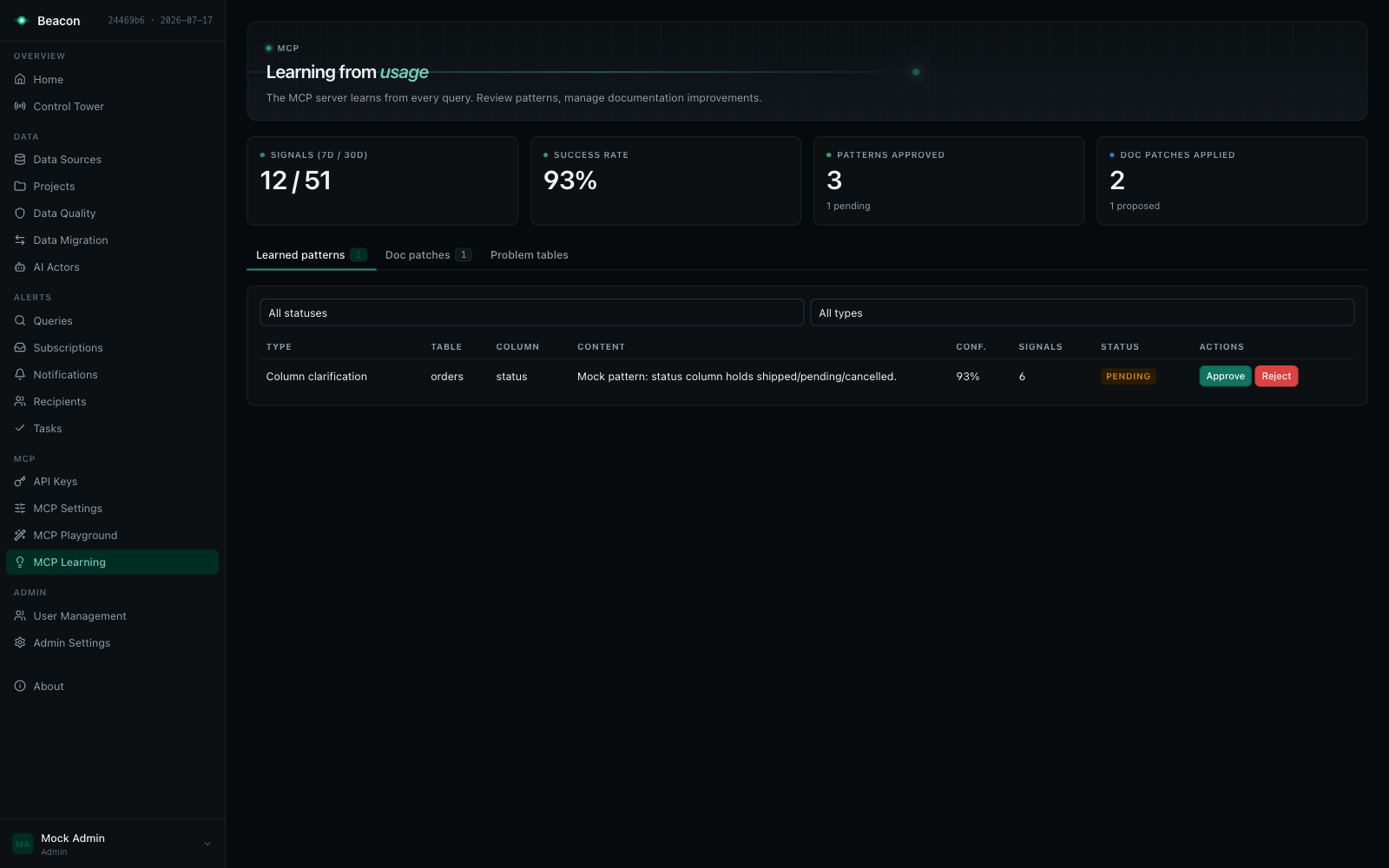
Review the queue on the MCP Learning page (/beacon/mcp-learning), where pending patterns can be approved or rejected, and any stored documentation patch applied or rejected. The full mechanics (lesson extraction, decay, retention, and every setting) are in the Knowledge Base guide.
Configuration
Section titled “Configuration”Admins and SecurityAdmins customize the MCP server at MCP Settings (/beacon/mcp-settings); Auditors read it. The routes: GET /beacon/api/mcp/settings and GET /beacon/api/mcp/projects/{projectId}/settings for an Auditor or a SecurityAdmin, the PUTs for a SecurityAdmin (Admins hold both; see Functional permissions).
Global defaults or per project. A scope selector at the top of the page switches between the global defaults and any single project. In project scope each field gets an Override checkbox: leave it unchecked and the project inherits the global value (shown greyed out); check it and the project keeps its own. Prompts and tool descriptions stay global by design: tools/list is answered before any project is known.
The tabs:
Pre-prompt
- Ask tool system prompt: the LLM prompt used for SQL generation in the
asktool, sent as is. The global instruction and the schema context follow as a first user message, the stable prefix a provider can reuse from its prompt cache (Claude is asked to cache it; OpenAI and Azure OpenAI cache such a prefix on their own; Bedrock does not request prompt caching yet); the date and the question come in a second user message. Anaskrepair sends that same first message, byte for byte, then the question, the previous SQL, its error and the rules in a second message ending with “Return ONLY the corrected SQL query.”; a repair over any other context (a cross-source repair) sends the full schema first with no cache request. A provider’s cache covers the system prompt too, so a repair reuses the generation’s cached prefix only when both use the same system prompt, that is when this prompt is set. Schema text (database comments, documentation, glossary) is always user content, never part of the system prompt. That first message also states that text inside<untrusted_data>blocks is data, never instructions, and carries the schema context in such a block (its two marker lines are not counted inAskSchemaContextChars); a repair’s table schemas, previous SQL and error are blocks too. Descriptions, sample and matched values, glossary terms and learned patterns stay on their own line inside the block, characters a reviewer cannot see are left out, and a block marker written inside the data is neutralised, also one written with lookalike brackets or letters, fullwidth forms, accents or control characters, so stored text cannot close its block. Data source routing, intent classification, the cross-source join, knowledge answers, documentation generation and section edits, chunk indexing, AI actors, lesson extraction and the eval judge mark their context the same way. - Global instruction: prepended to the user context of every LLM-aware tool
Tool descriptions
- Override the description returned by
tools/listforget_context,ask,query,get_documentation, andsearch. Leave a field blank to keep the built-in description. Overrides are applied to the live tool list, so connected clients see your wording.dry_run,get_query_context, andfeedbackcurrently use their built-in descriptions only.
Guardrails
- Max row limit: the ceiling on rows returned (default: 1000). It must be between 1 and 10,000,000; a save outside that range, globally or for a project, is rejected with
400. A lower value stored before this check is read as 1, soquery,dry_run,ask, cross-source queries and evaluations all cap at one row, never run uncapped and never refuse the cap itself. - Read-only enforcement: the SELECT-only restriction; locked on by default (see below)
- PII detection: enable/disable, plus custom PII regex patterns; detection is locked on by default (see below). A custom pattern that cannot be evaluated over a query (invalid, or not finished within its one-second timeout) refuses the query, naming the pattern by its position; as a column check it marks the column as PII. A new pattern is at most 500 characters and must not use lookarounds, backreferences or atomic groups (it runs on the linear-time regex engine); a save with one is rejected with
400. A pattern stored before these checks keeps working, on the backtracking engine under the timeout, and does not block a save that leaves it in place - Row data sent to the LLM provider: sample-value collection and value grounding, both off by default (see What reaches the LLM provider)
- Execution: the two retention switches, Retain question and SQL text in signals and audit and Allow the feedback tool to store question and SQL text (see Content retention); and Statement timeout (s) (default 30), Max result size (bytes) (default 262144), Max EXPLAIN cost (blank = no limit) and Max concurrent queries per API key (default 4). The statement timeout, result size and concurrent-query limit apply to the MCP SQL tools (see the guardrails table above); the EXPLAIN cost limit is enforced on PostgreSQL data sources, where a statement whose planner-estimated total cost exceeds it is refused before it runs, and other engines ignore it
- Learning: Enable learning, auto-approve threshold (stored; auto-approval is decided by replay), injection budget, and signal retention
Ranges. Every numeric setting is checked when it is saved, globally or as a project override (an empty override inherits and is not checked); a value outside its range is rejected with 400 and a message naming the field and the range. A save names the first field out of range; fix it first, then save again to see the next. A deployment ceiling is not a bound here: a value above it is saved and clamped when the settings are read.
| Setting | Allowed |
|---|---|
maxRowLimit | 1–10,000,000 |
statementTimeoutSeconds | 1–3600 |
learningSignalRetentionDays | 1–36,500 |
learningAutoApproveThreshold | 0–1 |
maxExplainCost | blank (no limit), or 0–9,999,999,999,999,999.99 |
maxResultBytes, maxConcurrentQueriesPerKey, selfConsistencyCandidateCount, selfConsistencyMinTables, exemplarTopK, glossaryTopK, docChunkTopK, goldenExemplarTopK, docChunkWindowSentences, learningReplayMinFlips | at least 1 |
learningInjectionBudgetChars, goldenExemplarBudgetChars, valueGroundingMaxProbes, docChunkOverlapSentences | at least 0 (0 = none) |
A statement timeout, result size or concurrency limit of 0 or less stored before these checks is read as its default (30 seconds, 262,144 bytes, 4) globally, and as no override (the global value) for a project; a statement timeout above 3600 seconds is read as 3600. Each such field is reported as clamped. The Max result size here bounds what an MCP tool returns; the deployment’s Beacon:Query:MaxResultBytes bounds what is read from the data source.
Context preview
- Render the grounding context for a project exactly as the tools would assemble it. This is useful for spotting missing documentation before an agent hits it.
Deployment locks and ceilings
Section titled “Deployment locks and ceilings”Some settings must be non-negotiable no matter what an administrator clicks. The Beacon:Mcp configuration section pins values at the host level. Read-only enforcement and PII detection are pinned by default: ForceReadOnly and ForcePiiDetection are true unless the host’s configuration sets them to false.
{ "Beacon": { "Mcp": { "ForceReadOnly": true, "ForcePiiDetection": true, "ForceNoContentRetention": true, "ForbidRowDataToLlm": true, "Ceilings": { "MaxRowLimit": 1000, "StatementTimeoutSeconds": 60, "MaxResultBytes": 1048576, "MaxConcurrentQueriesPerKey": 8, "MaxSqlChars": 100000, "MaxQuestionChars": 4000, "AskTimeoutSeconds": 120, "AskMaxLlmCalls": 12, "AskSchemaContextChars": 120000 } } }}- A lock (
ForceReadOnlyandForcePiiDetection, both on by default;ForceNoContentRetention,ForbidRowDataToLlmandAudit:RequireContent, off by default) pins the effective value for the global settings and every project.Audit:RequireContentpins content retention on, the opposite ofForceNoContentRetention(the host does not start with both on).ForbidRowDataToLlmpins three settings off: sample-value collection, value grounding and the eval judge (see What reaches the LLM provider). Nobody can change a locked setting at runtime, an Admin included; only the host’s configuration lifts the lock. The global page shows a locked switch disabled with a note, the project scope hides locked fields and names them in a banner,GET /beacon/api/mcp/settings/lockslists them (lockedFields, and each lock with the setting it pins inlocks), and an API call that tries to set one gets HTTP 409 with the RFC 7807 type/errors/setting-locked. - With
ForceReadOnlyon, the SQL execution gate also judges every statement read-only whatever the settings a caller hands it. This covers theask,queryanddry_runtools and the in-memory join of a cross-source query. Only a deployment that setsForceReadOnly: falselets an Admin turn read-only enforcement off (globally or per project), and only there does the setting reach the gate. The host logs a warning at startup for each of these two locks that is off. - A ceiling clamps a numeric value downward only. It can lower what an administrator configured, never raise it. Clamped fields are flagged in the UI.
MaxRowLimitbounds the rows the tools return;StatementTimeoutSeconds,MaxResultBytes,MaxExplainCostandMaxConcurrentQueriesPerKeyclamp the settings of the same names. Ceilings:MaxSqlChars(default100000) andCeilings:MaxQuestionChars(default4000) cap the length of SQL and ofaskquestions, andCeilings:AskTimeoutSeconds(default120, 1 to 3600) andCeilings:AskMaxLlmCalls(default12, at least 2: the intent classification and the first SQL generation) cap the wall-clock time and the LLM calls of oneaskcall (seeask), andCeilings:AskSchemaContextChars(default120000, about 30,000 tokens) caps the schema context oneasksends to the LLM: the first generation, every self-consistency candidate and every repair get the same bounded context. Over the cap, whole table descriptions are left out, never cut mid-table: the tables the question names as whole words stay first (only the one in that schema when the question writesschema.table), then the tables retrieval ranked for the question, then the rest in catalogue order; a table whose description does not fit is skipped and a shorter one after it may still be shown. One line-- N more tables not shown: …names the tables left out (the list itself capped near 2,000 characters) and replaces the coverage note; it is counted inside the cap. When the grounding sections leave no room for the most relevant table they are left out one kind at a time — learned patterns, then the glossary, the verified examples, the value matches and last the join paths — until it fits, a table is never sent whole when it does not fit: if no whole table fits, the most relevant one is cut at the last line that fits and followed by-- name: more columns not shown(a warning with counts only is logged), so the context is never longer than the cap and never describes no table when the source has one. A repair over SQL that reads a table left out gets that table’s exact schema, however the SQL spells its name (quoted, unqualified or with a database in front), in the single-sourceaskand in each source of a cross-sourceask. Theget_query_contexttool and cross-sourceaskread the same bounded context; a cross-sourceaskbounds each source’s context on its own, so the join step’s prompts can carry up to the cap once per source. They always apply at their defaults, even when the section is absent; the length caps must be greater than 0 when set, and the context cap at least 10000. With no section, read-only enforcement and PII detection are locked on, content retention and row data to the LLM are not locked, there are no deployment-set ceilings, and these length caps andaskbudgets hold.- Settings resolve as lock → project override → global value → built-in default, then ceilings are applied.
GET /beacon/api/mcp/settingsreturns the resolved settings (what the tools read, locks and ceilings applied) as before, plusstored(the row as saved, before locks and ceilings),lockedFieldsandclampedFields(the settings a ceiling lowers). The global page editsstored, so a save keeps a value above a ceiling and the value a lock overrides: lifting the lock or raising the ceiling restores what was configured underneath.PUTstores every setting as sent, except a locked one, which it keeps as stored (and refuses with409when the value sent contradicts the lock). An API client that sends the resolved values back stores them: sendstoredinstead.- Every change is recorded. Each setting a save changes, globally or for a project, is written to the settings history the Admin Settings page keeps: key
Mcp.{Setting}orMcp.Project.{projectId}.{Setting}, the value before and after (an empty override is “inherit”; a long prompt or description is cut to 2,000 characters), when, and who (the caller’s Beacon user id). The log notes the change by setting name and ids only.
What reaches the LLM provider
Section titled “What reaches the LLM provider”Beacon sends prompts to the LLM provider configured in Admin Settings. Besides the question, the schema (table and column names, types, descriptions, join paths) and your curated knowledge (glossary, documentation, verified examples, learned patterns), a prompt can carry data read from your data sources. Each kind is off by default or screened, and each is logged:
| Row data (egress category) | When | Screened |
|---|---|---|
Sample values (sample-values, Examples: [...]) in ask and repair prompts, and returned by get_query_context | sample-value collection on (off by default) in the effective settings of the project and of every project sharing the source | name and value rules of Sample values, again at every read |
Value matches (value-matches, ## Value matches) for literal-looking words of the question | value grounding on (off by default), same sharing rule; live probes only for callers who may query | PII, secret-like and financial-amount column names are never probed or matched; a PII- or credential-shaped hit is dropped |
Distinct column values in documentation prompts (column-values, enum discovery) | sample-value collection on for the project and every project sharing the source | the same name and value rules |
Result rows in the eval judge’s prompt (result-rows) | the eval judge on (off by default) and content retention on | PII columns masked, at most 20 rows |
Database errors in repair prompts and in lesson extraction (database-errors for lesson extraction) | an ask or cross-source ask repair after a failed dry run or execution; the learning job mining failed ask signals | redacted by class (Database errors); under the lock repair prompts and lesson extraction send only the class and code |
Stored documentation of the business-domain, data-model and glossary sections (stored-documentation), which can list values discovered in the data | knowledge answers: the documentation, its chunks and the project search results cut from these sections (keyword and semantic); contextual-retrieval blurbs of documentation chunks; a documentation instruction on such a section | under the lock these sections, their chunks and their search results are left out of knowledge answers and blurbs, and an instruction on one is refused (400); regenerate the documentation instead |
- The deployment lock
Beacon:Mcp:ForbidRowDataToLlm(off by default) pins sample-value collection, value grounding and the eval judge off for the global settings and every project: no sample is collected or shown, no value is probed, documentation discovers no column values, the judge sees no rows, repair prompts and lesson extraction send only an error’s class and code, and stored documentation sections that can list discovered values stay out of every prompt. A request that would turn one of the three settings on answers409, and a project override of one is refused even when it agrees with the lock; a save under the lock keeps the values stored before it (globally and per project), so lifting the lock restores them. After startup the host logs one warning listing the stored rows the lock overrides (global row and project ids), and one naming the projects whose stored documentation still has value-listing sections; values discovered before the lock stay in that documentation until it is regenerated (a curated section, one a person edited, is kept by regeneration: edit it to remove them). - Egress log. Every request whose prompt carries row data is logged at Information with event id
7123(RowDataSentToLlm) as it is handed to the provider. The data may leave even when the provider then fails, so a failure adds a Warning under the same event with the failure’s type and code. Each record names the categories, the data source ids, the project id and the caller: the caller’s Beacon user id, or for background work the job itself (learning-aggregation,documentation-indexing,pattern-replay; an eval run names the user who started it, elseeval-run; documentation generation the user who asked for it), andunknownwhen the caller cannot be resolved (which never fails the request). Aget_query_contextresponse carrying sample values or value matches is recorded under the same event as returned to the MCP client. Never a value or prompt text; no table is written. See MCP observability. - Where the data goes. OpenAI and Anthropic are called on their public API endpoints; there is no base-URL or proxy setting for them. Azure OpenAI takes your resource’s endpoint (choose its region for residency) and Bedrock your AWS region, both in the LLM connection settings.
Database errors
Section titled “Database errors”A database quotes row values back in its errors. A failed conversion names the value it could not convert, and a key violation names the key. Beacon therefore judges an error by its class (SQLSTATE, error number or the engine’s wording) before it leaves its hands:
- An error that carries values is replaced by its class, code and a generic description, with none of its message
kept. Such errors are a data exception or an integrity violation (SQLSTATE
22xxx,23xxx), SQL Server’s conversion, overflow, duplicate-key, truncation and NULL errors, MySQL’s incorrect-value, duplicate-entry, out-of-range and too-long errors, and BigQuery, Databricks and Snowflake cast and parse errors. For example:Database error 22P02 (data exception): a value could not be converted to integer. The database's message is withheld because it can quote row values. - An error that carries no values (an unknown or ambiguous name, a grouping, syntax, type, permission or
division-by-zero error) keeps its message with quoted text, key and row details and unquoted values replaced by
<value>. Quoted text survives only in an error about a name, and only when every part of it is a name of the statement or the catalog. - An error Beacon does not recognise is replaced like a value-carrying one, whatever it says, quoted or not:
Database error (unrecognised): not an error Beacon recognises. The database's message is withheld because it can quote row values.So is an error the statement’s own code raised, whose wording is its author’s: a SQLSTATE of classP0(PostgreSQL’sRAISE, Databricks’raise_error), SQL Server’s errors 50000 and above (THROW,RAISERROR) and MySQL’s SQLSTATE class45(SIGNAL) keep only their code, even when the text reads like a name, syntax or permission error. Where the driver leaves the code out of the message, Beacon puts it in front (Msg 50000, Level 16, State 1: …,45000: …), also in the raw message a caller reads while PII detection is off. - Beacon’s own fixed texts that arrive with the database’s errors (a host source’s failure, a read stopped at the row
ceiling, a refused read of a migration write target) hold no value and are kept. The whole message is redacted
before it is cut to 2,000 characters; an error that cannot be screened in time is replaced as a whole and counted
(
beacon.error_redaction.fallbacks).
Where the redacted form is used:
| Where the error goes | Redacted |
|---|---|
Repair prompts (ask, cross-source ask) and lesson extraction | always; under the lock Beacon:Mcp:ForbidRowDataToLlm only the class and code (Database error 42703 (undefined column).) |
Learning signals (ask, query, dry_run, cross-source) and the stored history of ad-hoc queries | always |
The error returned by ask, query, dry_run, cross-source queries, saved-query tools and REST previews and executions, and the audit row | while PII detection is on for the project (or the strictest project sharing the source); the raw message otherwise |
| Host data sources | never the database’s message: Query failed on the host database. |
Logs never carry the message at all: a failed query is logged by exception type, error code, the types of the
exceptions it wraps and the method that threw it (PostgresException (error code 22P02, inner SocketException, at NpgsqlConnector.ReadMessage)).
The per-project settings have their own endpoints: GET /beacon/api/mcp/projects/{projectId}/settings (Auditor or SecurityAdmin) and PUT on the same route (SecurityAdmin). The GET returns the project’s overrides, the resolved effective values, and the names of any locked or clamped fields.
Changes take effect without a restart. These settings are part of Admin Settings; the retrieval, exemplar, and eval knobs that aren’t on this page are settable through PUT /beacon/api/mcp/settings and documented in the Knowledge Base guide.
MCP Playground
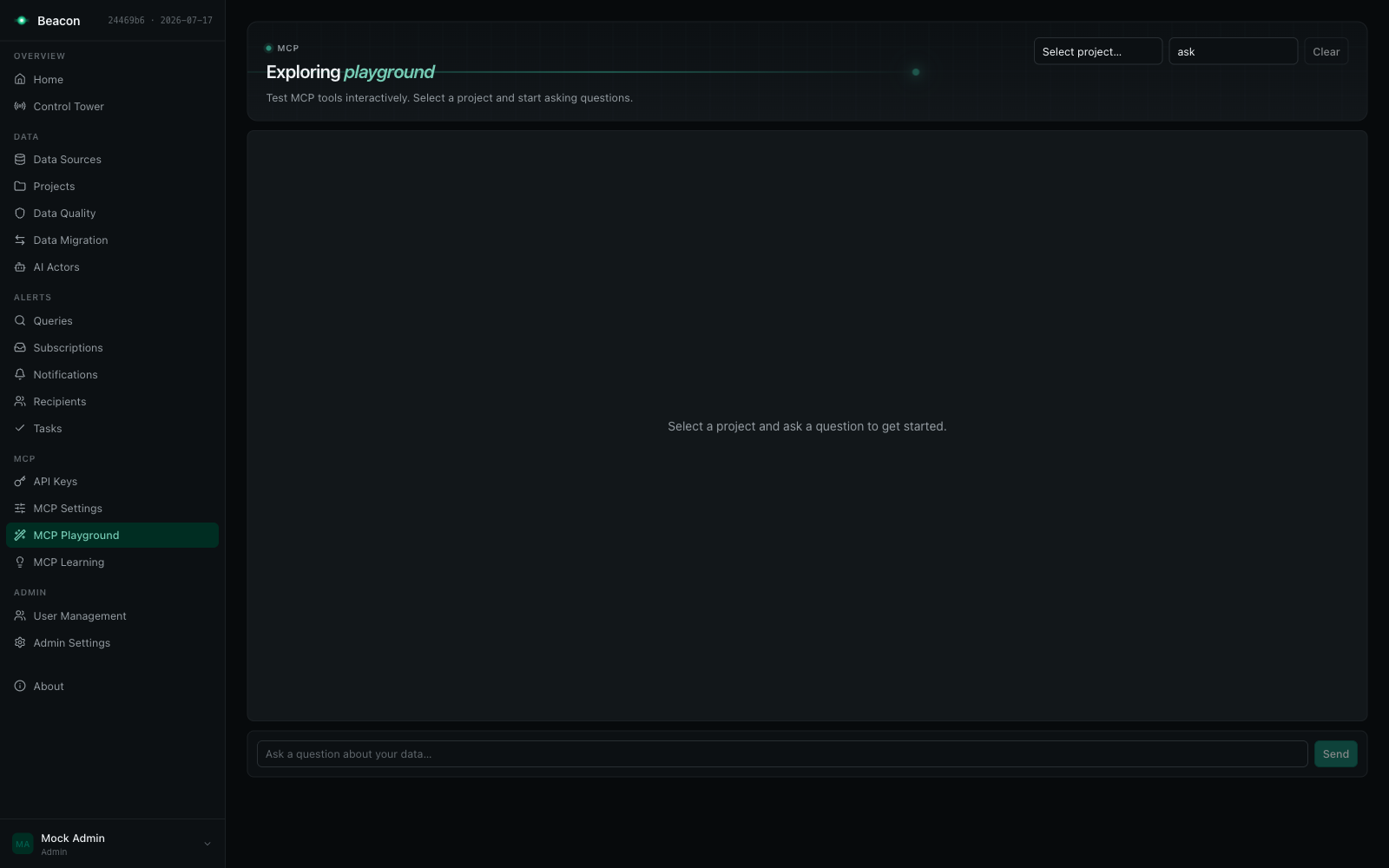
Section titled “MCP Playground”You do not need to wire up an external MCP client to try the server. The UI ships an MCP Playground (/beacon/mcp-playground) where you select a project and ask questions interactively. It uses the same tools, routing, guardrails, and audit trail as a real MCP session. Use it to validate documentation quality and tune the system prompt before pointing Claude or Cursor at your data.
The playground runs as the signed-in user and checks their project access on every call: the catalog tools (get_context, get_documentation, search, get_query_context) need Read in the selected project, and ask, query, dry_run and feedback need Query. A restricted project the user is not a member of, or a project outside an API key’s list, is refused before any tool runs; a call without a signed-in request is refused outright. Tool calls over /beacon/mcp decide the caller’s projects by the same rules (see Overview).
The companion MCP Learning page (/beacon/mcp-learning) shows the learning loop at work: usage signals, success rate, and learned schema patterns awaiting approval. Any stored documentation patch can also be applied or rejected there.
Calling the endpoint directly
Section titled “Calling the endpoint directly”A client without native Streamable HTTP support can POST JSON-RPC messages to /beacon/mcp with the Authorization: Bearer header on every request. The request shapes, headers and session handling are in Connect AI clients.
Troubleshooting
Section titled “Troubleshooting”“No projects are available to you” error: the caller reaches no project: none of the API key’s projects is one its owner may still use, a mapped Entra user is not a member of the restricted projects it is configured for, or the call came from a browser session (use the MCP Playground). Check the key’s projects and the owner’s or user’s project memberships.
“Access denied: you do not have access to project N”. The project named in project_id is not one the caller reaches (see Overview).
“Access denied: you may read project N but not run ad-hoc queries in it”. The caller is a Viewer in the project: it reads the catalog, but ask, query and dry_run need an Editor role there (and, in a restricted project, an Editor membership). Saved-query tools stay available to Viewers.
“Multiple projects available (IDs: …)”. The caller reaches several projects. Pass project_id on every call, or restrict the API key to a single project.
SQL refused by the read-only gate. The statement is not a single read-only query (an INSERT, UPDATE, DDL, a second statement), or it names another database than the data source’s own (cross_database), or it reads the engine’s catalog, statistics or query history (system_catalog). Run dry_run to see every issue with its gate and code.
Connection drops, or “session not found” behind a load balancer: streaming connections may be interrupted by proxies, and an initialize-handshake client’s session lives on one instance and closes after 30 minutes idle. Re-initialize against /beacon/mcp to start a fresh session, and give multi-instance deployments session affinity (see Connection details).
Authentication fails: Verify your API key starts with sk-sem_, has not expired, and has not been revoked. Check the Authorization: Bearer header format.
“Permission denied: this credential does not have the Execute scope”. The key (or Entra caller) has only Read, or it has Execute but its owner no longer has the Editor role or above. Use an Execute key of a user with write permission.
Answers miss obvious joins or misread a business term. The model can only use what it was given. Check the Knowledge Base guide: register the join path, add the glossary term, or promote a correct answer to a golden example.
Upgrading from 4.5: project access
Section titled “Upgrading from 4.5: project access”MCP now uses the same project access as the REST API and the playground, decided on every call (see Overview and the full upgrade notes):
- API keys without a project list now reach their owner’s projects on MCP; before, they reached no project there. This widens what such keys can do over MCP. Re-issue them with a project list to confine them. Keys with a list reach only the listed projects their owner may still use.
- Mapped Entra user callers reach a restricted project only while their Beacon user is a member of it, and nothing while their user is disabled or archived; a user caller without a Beacon user reaches its configured open projects only. System callers keep their configured projects. See Entra ID callers on MCP.
- Saved-query tools are listed only in projects where the caller may run saved SQL, and each run is re-checked right before its SQL: when a data source the version reads is no longer linked to the project, or the caller may no longer run saved SQL there, the call fails without running anything. Host endpoint tools need the caller to read the host’s project.
- A call without an authenticated caller is refused, over HTTP or over a transport without an HTTP request (such as a host-wired stdio transport), and such a call reaches no project. Browser sessions are refused on
/beacon/mcp: the route and the MCP layer take an API key or a mapped bearer token only. A refusal at the route answers403before any MCP request is read, so it leaves no audit row; atools/callrefused inside the MCP layer is audited. - The SQL-carrying tools need Query in the project, as in the playground:
ask,queryanddry_run(andfeedback) answer “Access denied: you may read project N but not run ad-hoc queries in it.” to a caller that is only a Viewer there, while the catalog tools still answer it. Mapped or provisioned Entra users keep the defaultViewerrole (Beacon:Mcp:Callers:Users:DefaultRoleName) and so read the catalog only: give them the Editor role (and, in a restricted project, an Editor membership) to run SQL tools. API keys are already capped by their owner’s role. - Error messages no longer mention API keys: “Access denied: you do not have access to project N.” and “No projects are available to you.”
- Audit rows and signals record the caller’s Beacon user id. API keys and mapped callers were already recorded so; a signed-in session (the playground) was recorded by its external id, with no user when that id is not a number, so it could not rate the signals of its own
askcalls. Now it can. - Eval runs without a project are refused: the run is marked
Failedbefore any case runs. - Database names must be the data source’s own. SQL naming another database, catalog or project than the one the data source’s connection configures is refused (
cross_database), and a data source without a configured database accepts no database qualifier. SQL the gate cannot parse is refused even with read-only enforcement off. - The engine’s catalog is not queryable. SQL reading
information_schema,pg_catalog,sysor another catalog, statistics or query-history relation is refused (system_catalog); useget_contextfor tables and columns. - Shared data sources take the strictest guardrails of the live projects that link them: a project with a looser row limit, PII, read-only, value-grounding or sample-value setting gets the stricter one on a data source it shares.
- Sample values and value grounding are off by default for a new installation, and the deployment lock
Beacon:Mcp:ForbidRowDataToLlmkeeps all row data from the LLM provider; see What reaches the LLM provider. get_query_contextruns live value probes only for callers who may query the project; a Viewer’s context resolves values from the stored samples alone.
See also
Section titled “See also”- Knowledge Base & Grounding: what grounds generated SQL, and how to curate it
- API Keys: scopes, project restrictions, and rotation
- Entra ID callers on MCP: user and system JWT callers, their projects, scope and audit
- Admin Settings: LLM provider configuration
- AI Integration: documentation generation that feeds the MCP catalog tools